Skip to content

Booking app for tire shops –

Booking app for tire shops

Seasonal changeovers without a line out the gate.

  • WhatsApp in one tap
  • Live queue
  • Start from your contacts
  • Zero commissions
  • Works with callers too
Start for free, Beta

Lock in your price now

Price after the beta: €12/monthFree during the beta

Then it stays this way forever, for your whole team. Whoever joins after the beta pays up to €34.

The beta ends in 5 months and 29 days

Your page
The client chooses
Your day

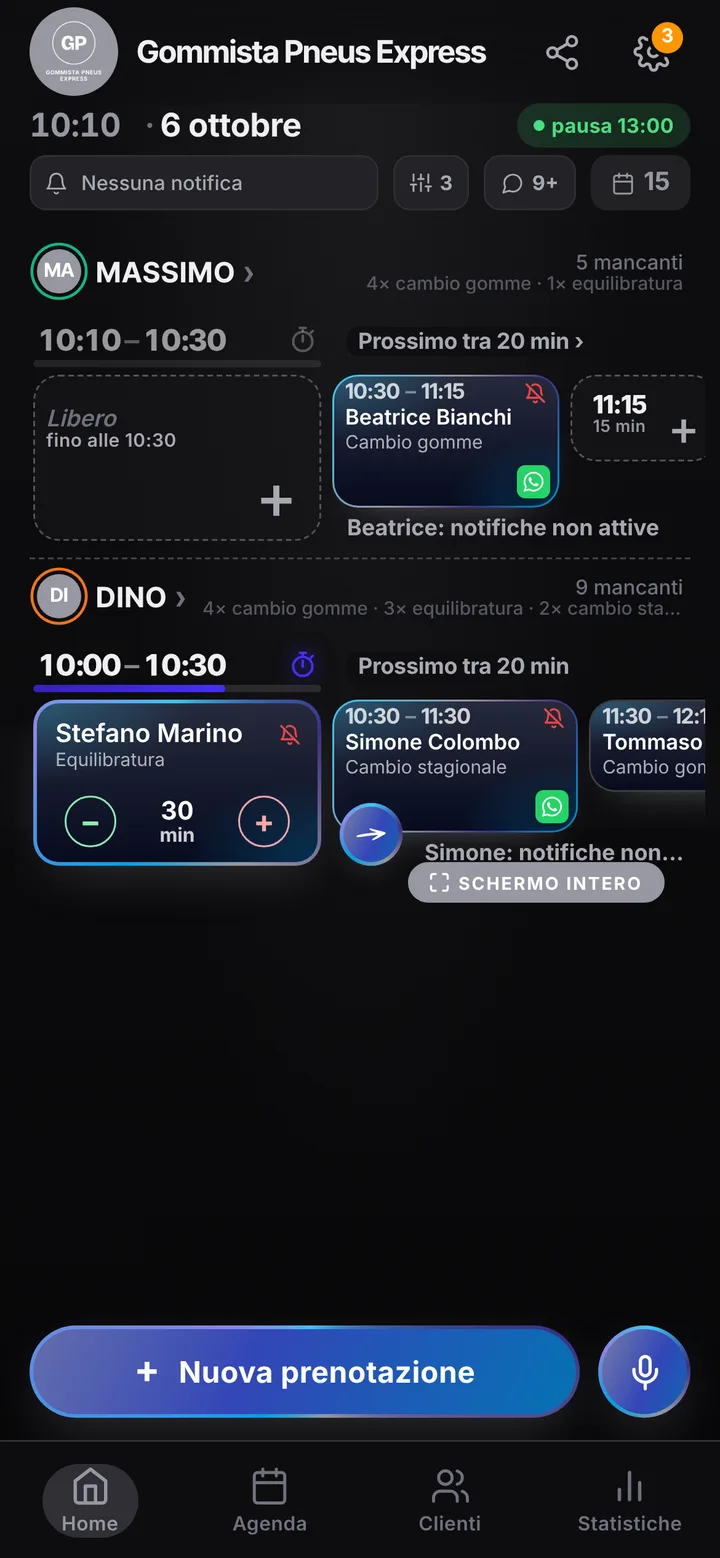
Sample business: Gommista Pneus Express

From anywhere

Your client books in three taps.

From their phone, at any hour, without downloading anything or creating an account.

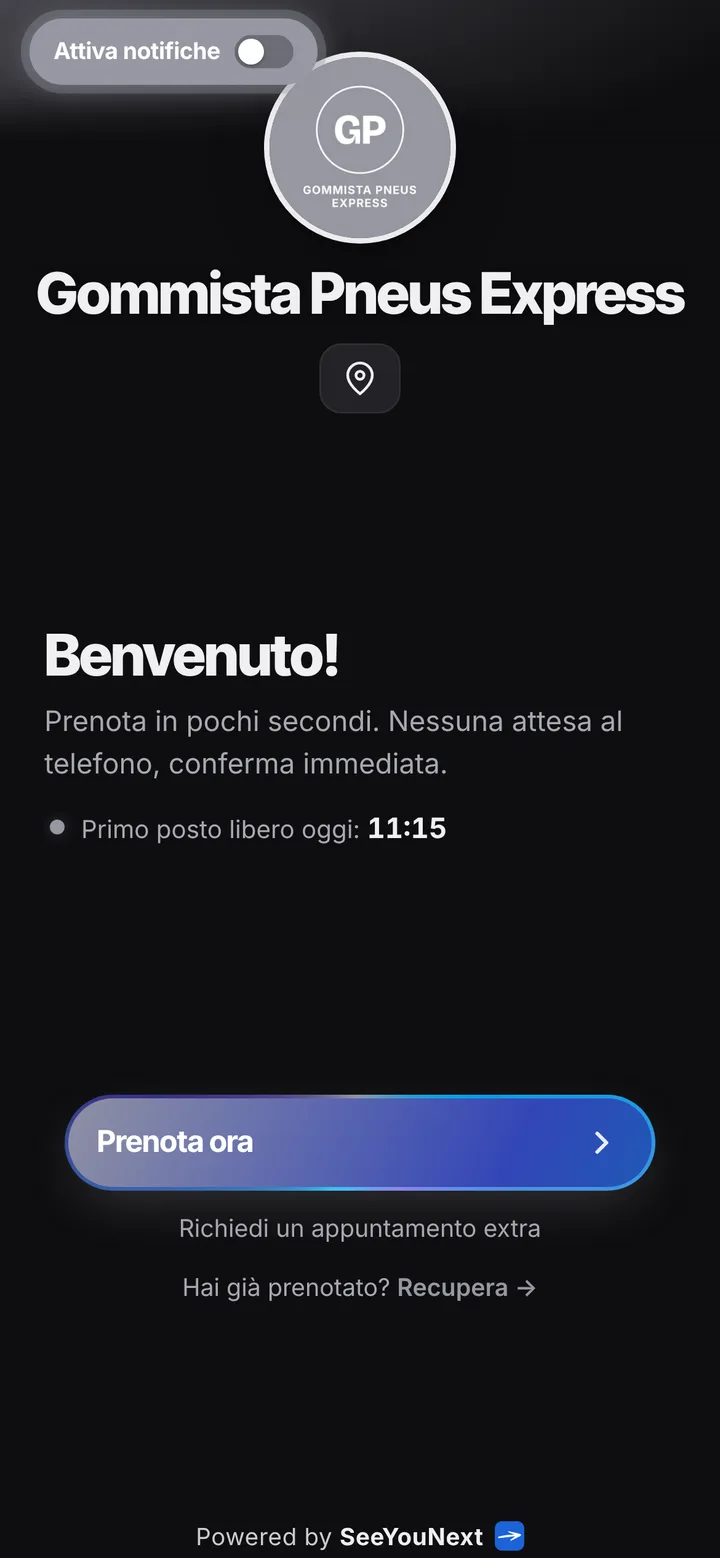
The booking page of Gommista Pneus Express, with logo, photos and the button to book
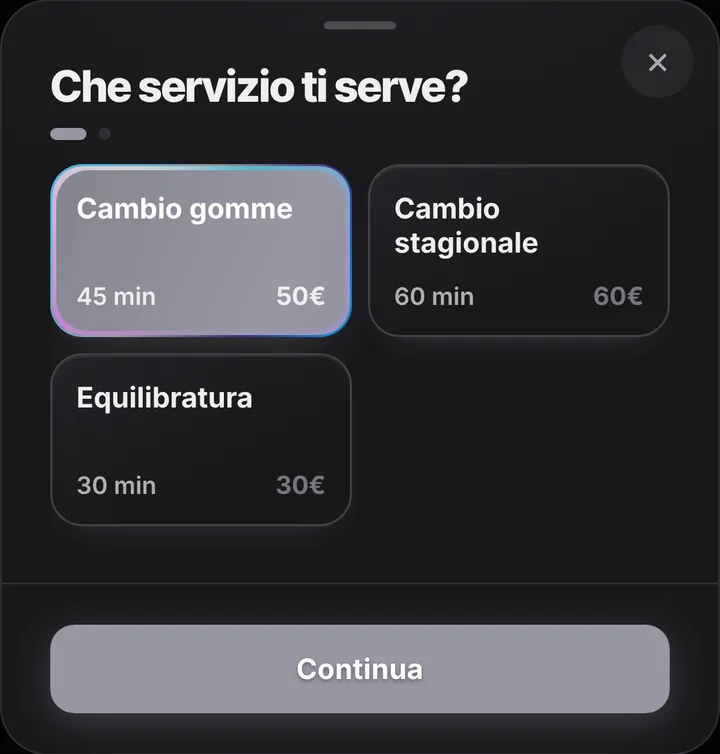
Choosing a service at Gommista Pneus Express, with duration and price
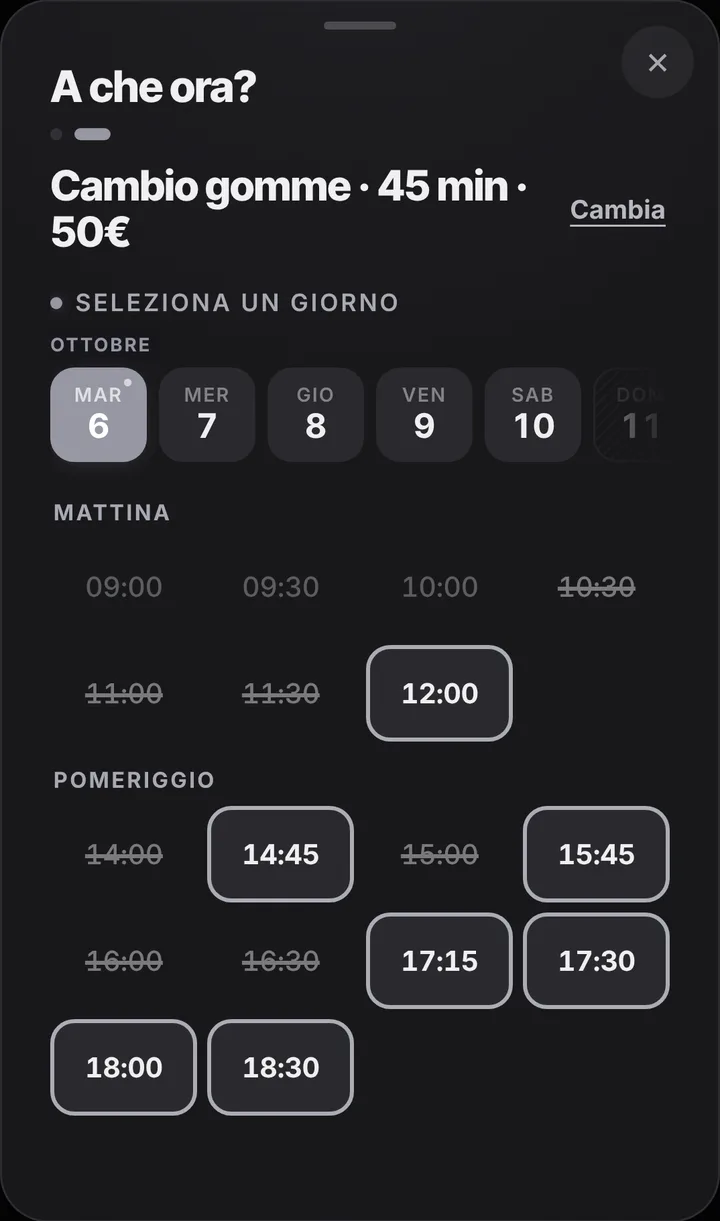
The free slots of the day at Gommista Pneus Express
  1. Opens your link

    From WhatsApp, Instagram or the QR code in your window.

  2. Picks a service

    With its duration and, if you like, the price.

  3. Picks a time

    Sees only the times where it really fits.

For your trade

The seasonal tyre change, without a queue outside.

For tyre shops: spring and autumn all at once, balancing and punctures the rest of the year.

  • Change, seasonal, balancing

    45, 60 and 30 minutes.

  • Changeover week

    Whoever finds it full joins the waiting list and gets a notice if a slot opens.

  • Customers who don’t arrive

    Mark them: their next bookings wait for your confirmation.

  • Size and plate

    In the note, when booking.

  • Reminders from your number

    One tap on WhatsApp, SMS or a call.

  • Who’s next

    The day on a full screen in the waiting room.

A day, for example

Late October. Every hour a seasonal change booked from the link: no queue on the pavement. At 3 pm a customer doesn’t show and you mark it. Whoever was on the waiting list with notifications on gets a notice and takes the slot.

With one tap

Appointment running long? One tap to let them know.

You mark it on the booking and the client sees the new time on their page right away.

  • Running late

    If they turned on notifications, they also get an alert on their phone.

  • Finished early

    The same tap tells them they can come sooner. Their spot stays guaranteed.

  • WhatsApp

    Reminders and moves go out from your business’s number, with the message already written. No cost.

For you, running things

Cancel, move, alert. No phone calls.

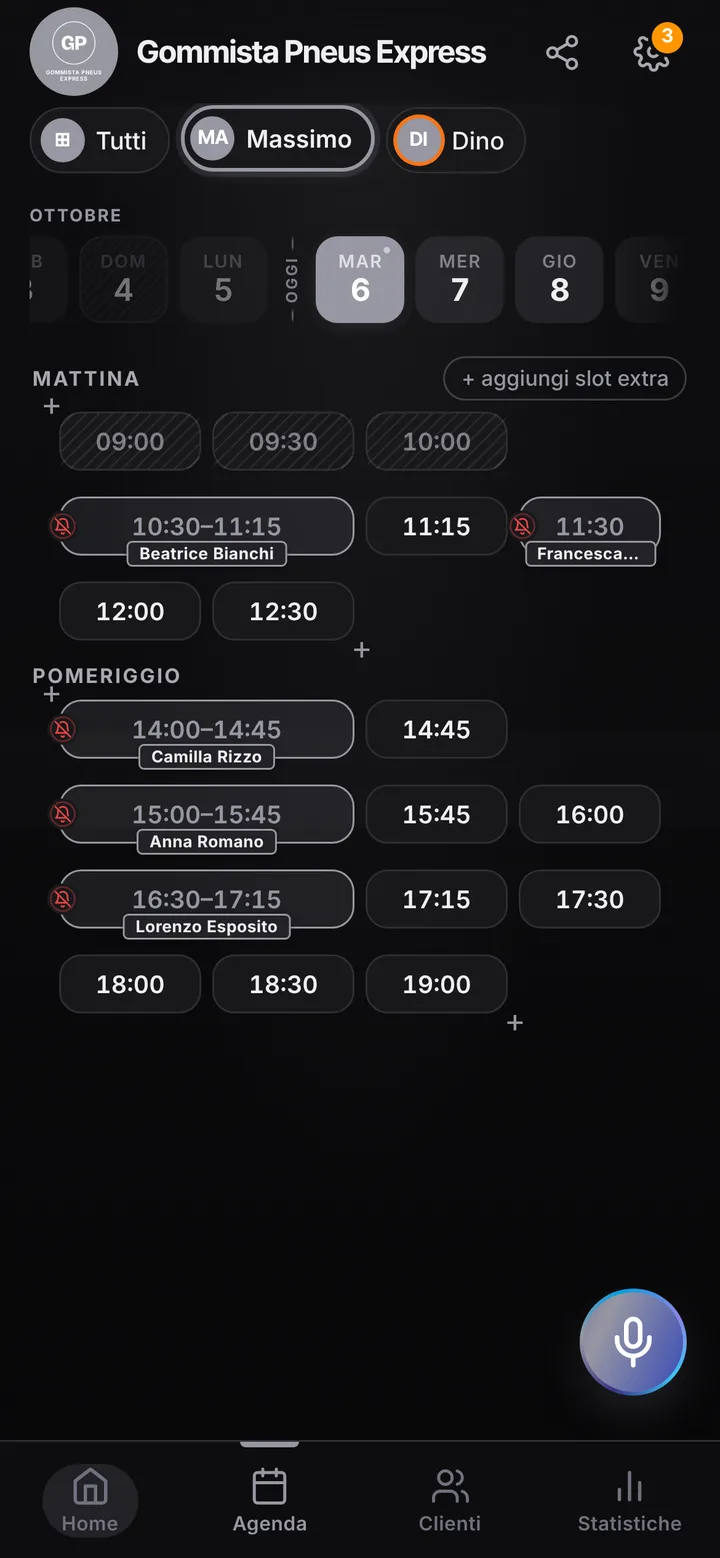
Tap the booking in your calendar and do everything from there.

  1. Cancel

    One tap and the slot is free for someone else.

  2. Move

    Put it in another free slot: the client sees the new time on their page.

  3. Alert

    Delays and early finishes as notifications to those who turned them on, reminders on WhatsApp from your number.

The day’s calendar at Gommista Pneus Express, with booked and free slots

In detail

A tire shop that gets through the seasonal rush with one link.

Twice a year, when drivers switch to winter tires and later back to summer ones, the lot fills with cars and the phone never stops. Here is how a booking app spreads tire changes across the right weeks, instead of having everyone show up on the same Saturday morning.

Peak weeks, spread across the calendar

Your price list starts with a tire change for forty-five minutes, a seasonal changeover for an hour and wheel balancing for thirty minutes; you add alignment, puncture repair, rim fitting. As the season turns, put the link on your Google profile, in the window and in your WhatsApp status: people pick a free time themselves, and the calendar never accepts more cars than you can actually fit. In the notice at the top of your page write what matters in those days, such as “bring the tires in your trunk” or “Saturdays by appointment only”.

Anyone left out joins the line

When the week is full, latecomers do not have to call you every day: they join the waitlist for that day. If another customer cancels, whoever is waiting with notifications on gets a notice that a time opened up and can grab it straight from the link. Online each customer can hold at most two active bookings, which works fine: someone bringing a partner’s car and a teenager’s car books both, and you add the rest from the schedule. If someone vanishes without warning, mark them as a no-show and their next request waits for your approval.

A screen in the waiting area

Many customers wait on site with a vending machine coffee while you take wheels off and put them back. On a tablet or an old TV, open the waiting screen in full screen: it shows who is being served now and who comes next, so nobody gets up every five minutes to ask how long it will be. If a seized bolt costs you fifteen minutes, mark the delay with one tap: people still on their way see the new time on their page and do not arrive to stand around. If you are ahead, you can ask the next customer to come earlier.

More techs, and what the app does not track

If two or three of you work the bays, each person has a schedule and hours of their own; up to 12 people in one account, and customers take the first one free. Tire storage, however, is not a warehouse the app manages: size, brand and shelf go in the customer notes in your contacts, where you find them next season. SeeYouNext does not send a “time to change your tires” message on its own: you book the next change when the job is done, or share the link when the time comes. No online payments either: people pay at the shop, as always.
Pricing

A fixed price. Today it’s free.

Zero commissions on what you earn: you pay a fixed price for your team size, which doesn’t go up with each extra person and doesn’t depend on how many clients you see.

If you join now

Price after the beta: €12 per month

You only pay it once the beta ends, then it stays locked in forever, whatever the size of your team.

Free during the beta

The beta ends in 5 months and 29 days

After the beta, for whoever joins later

How many of you are there?

1 person
  • Solo1 person€12/month
  • Small team2–3 people€19/month
  • Team4–6 people€26/month
  • Large team7–12 people€34/month

1 person. Solo: €12 per month.

Start for free, Beta

We don’t ask for your card. Unlimited clients and bookings.

What you’re wondering.

Can I keep track of stored tires?

Only as text: size, brand and location go in the customer notes in your contacts. The app does not manage inventory.

Does the app remind customers about seasonal changeovers?

Not on its own: there is no automatic call-back. You book the next change when the job is done, or send the link as the season approaches.

Can customers pay for a tire change online?

No: SeeYouNext does not take payments. Customers book from the link and pay you at the shop, as they do now.

What happens when every day is fully booked?

Anyone who wants can join the waitlist for that day: if a time opens up they get a notice and book it from the link.

Do my clients have to download an app?

No: they open your link and book. Regulars can install your business’s app, with your logo, straight from your page, on Android and iPhone. If they turn on notifications, that’s where reminders and alerts arrive.

What does it mean that SeeYouNext is in beta?

The features on this page are already there and you use them from day one, but we’re still polishing the app together with the people who use it: if something isn’t right, write to feedback@seeyounext.it. Meanwhile it’s free, payments aren’t switched on. When the beta ends, if you start now you pay €12 per month, VAT included, locked in forever, whatever the number of people who work with you.

Hours, price list and your logo, from your phone, in a few minutes. Then send the link.