In detail
The calendar of an esthetician who works alone.
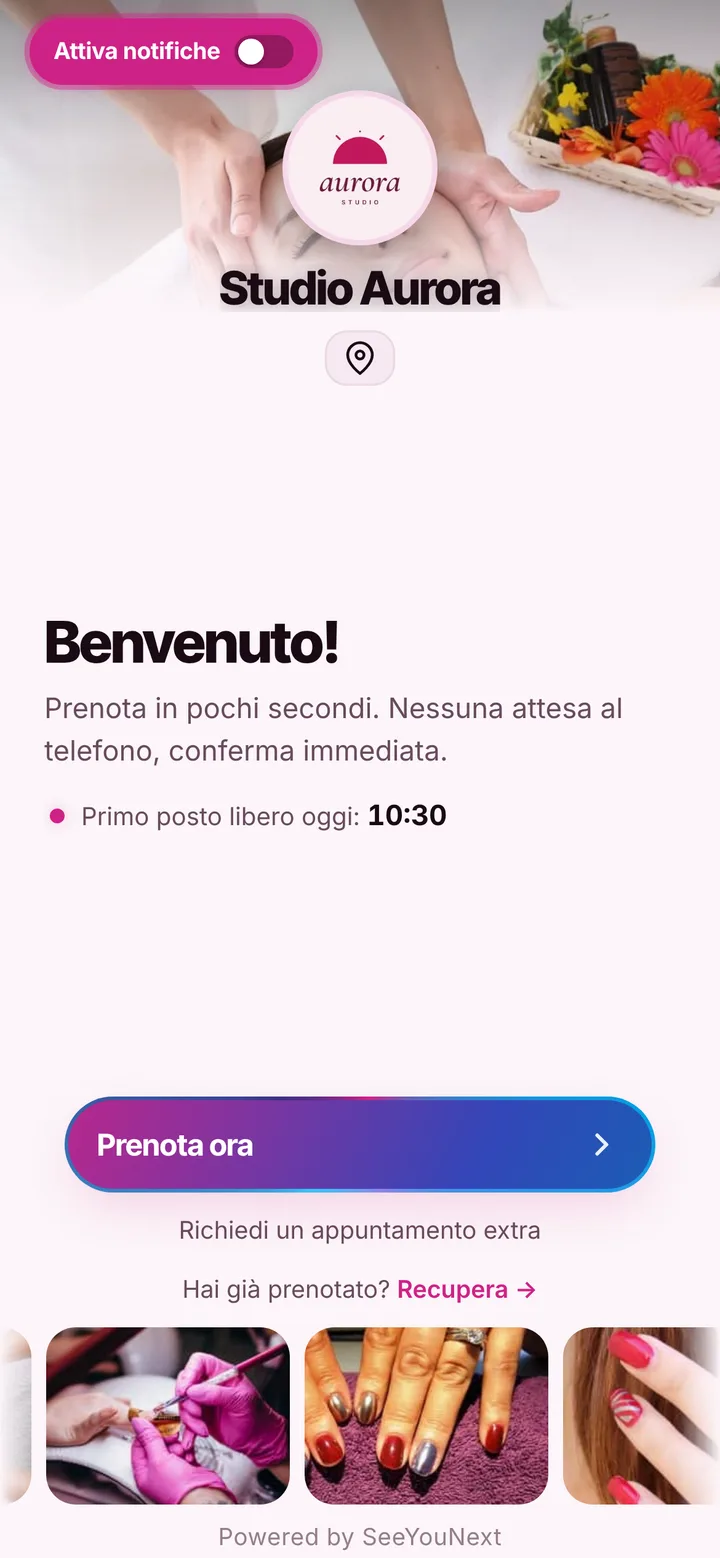
If you’re an esthetician working on your own, in a rented room or at clients’ homes, you can’t answer the phone during a treatment. You need a calendar that takes bookings for you, one that clients can use without explanations.
Bookings while you work
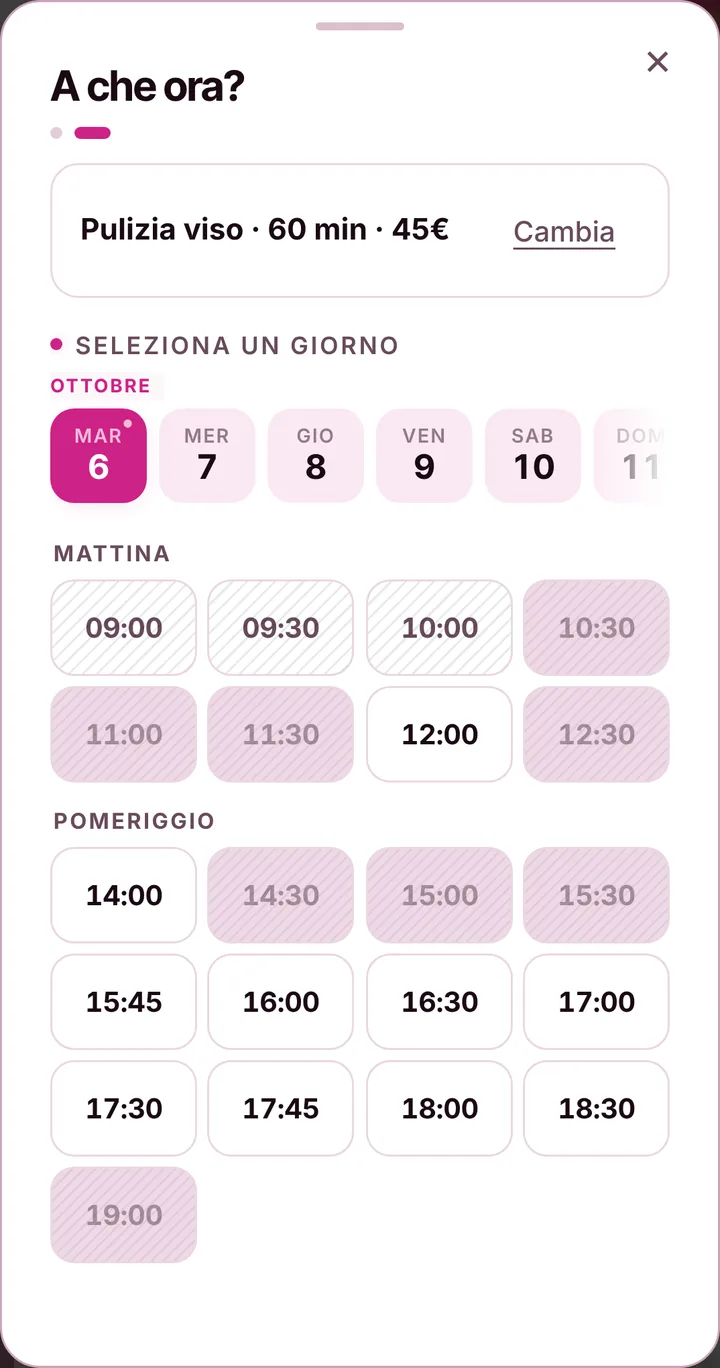
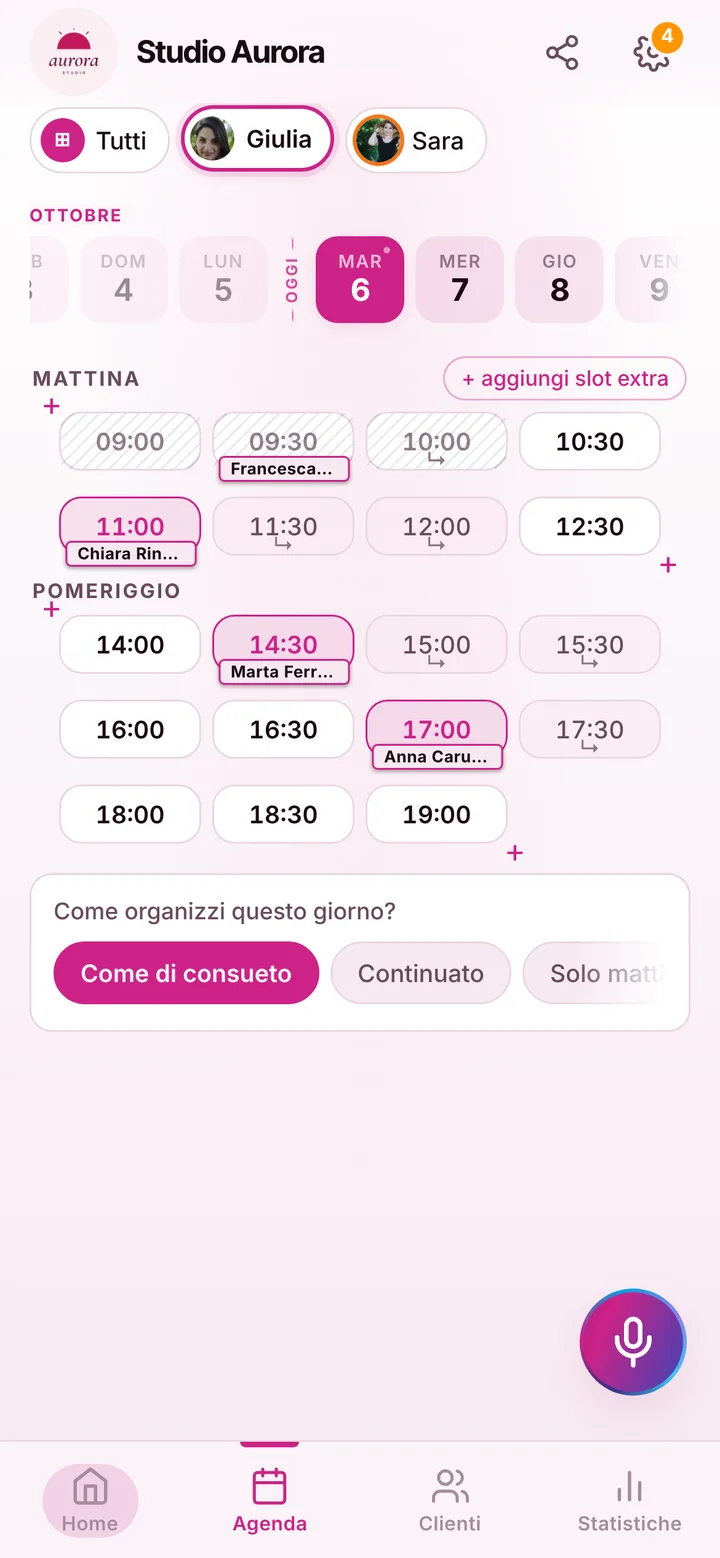
Clients open your link, pick the treatment and the time, and leave their name and phone number. They don’t have to download an app or create an account. You find the booking in your calendar when you’re done, without having answered a single message. If a client prefers to text or call you, you add her yourself in a few seconds, even by voice, and your day stays in one place: online bookings and yours together. You get an alert for every new booking.
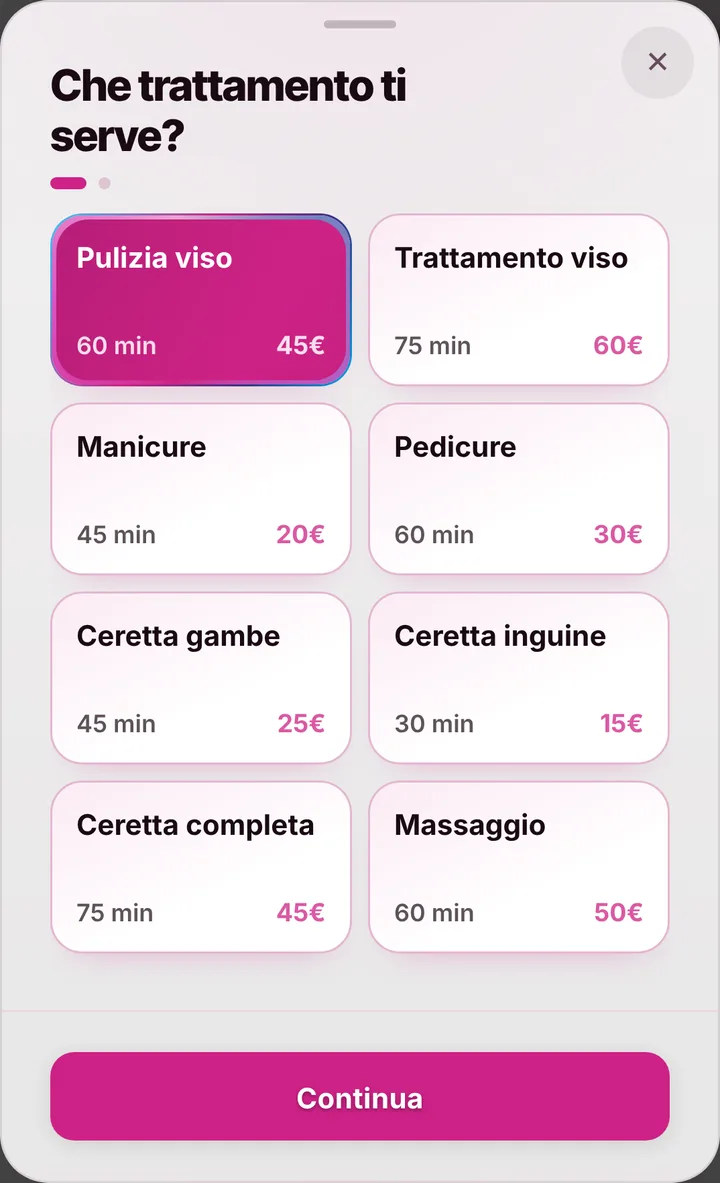
Your price list, your timing
Waxing, brows, lashes, facials, massages, manicures and pedicures: each service has its own duration, and your page only shows the slots where it really fits. You mark your breaks once and nobody books over them. If you work at clients’ homes, say so on your page. You also decide up to how many hours before a client can cancel from her phone, and whether prices are shown at all.
Reminders without paying for texts
A forgotten appointment is an hour lost, and when you work alone it hurts twice as much. Clients who turned on notifications get their reminder automatically; for the others you send one on WhatsApp with one tap, from your own number, with the message already written. There are no text message bundles to buy. If you need to move an appointment, you move it in your calendar and the client sees the new time on her page.
Your clients stay yours
Your contacts are yours: your clients’ numbers stay with you and are never sold. The contacts you already have in your phone you import in one step. With the loyalty card you reward whoever comes back, after as many visits as you like. Monthly regulars can install the app with your logo from your page, on Android or iPhone, without an app store, and find their bookings there. If a client doesn’t show up, you mark it, and her next bookings wait for your confirmation.