Skip to content

Booking app for calisthenics classes –

Calisthenics booking app

Fundamentals at 7 a.m., skills class at 8 p.m.

  • WhatsApp in one tap
  • Live queue
  • Start from your contacts
  • Zero commissions
  • Works with callers too
Start for free, Beta

Lock in your price now

Price after the beta: €12/monthFree during the beta

Then it stays this way forever, for your whole team. Whoever joins after the beta pays up to €34.

The beta ends in 5 months and 29 days

Your page
The client chooses
Your day

Sample business: Calisthenics Park Gravity

From anywhere

Your client books in three taps.

From their phone, at any hour, without downloading anything or creating an account.

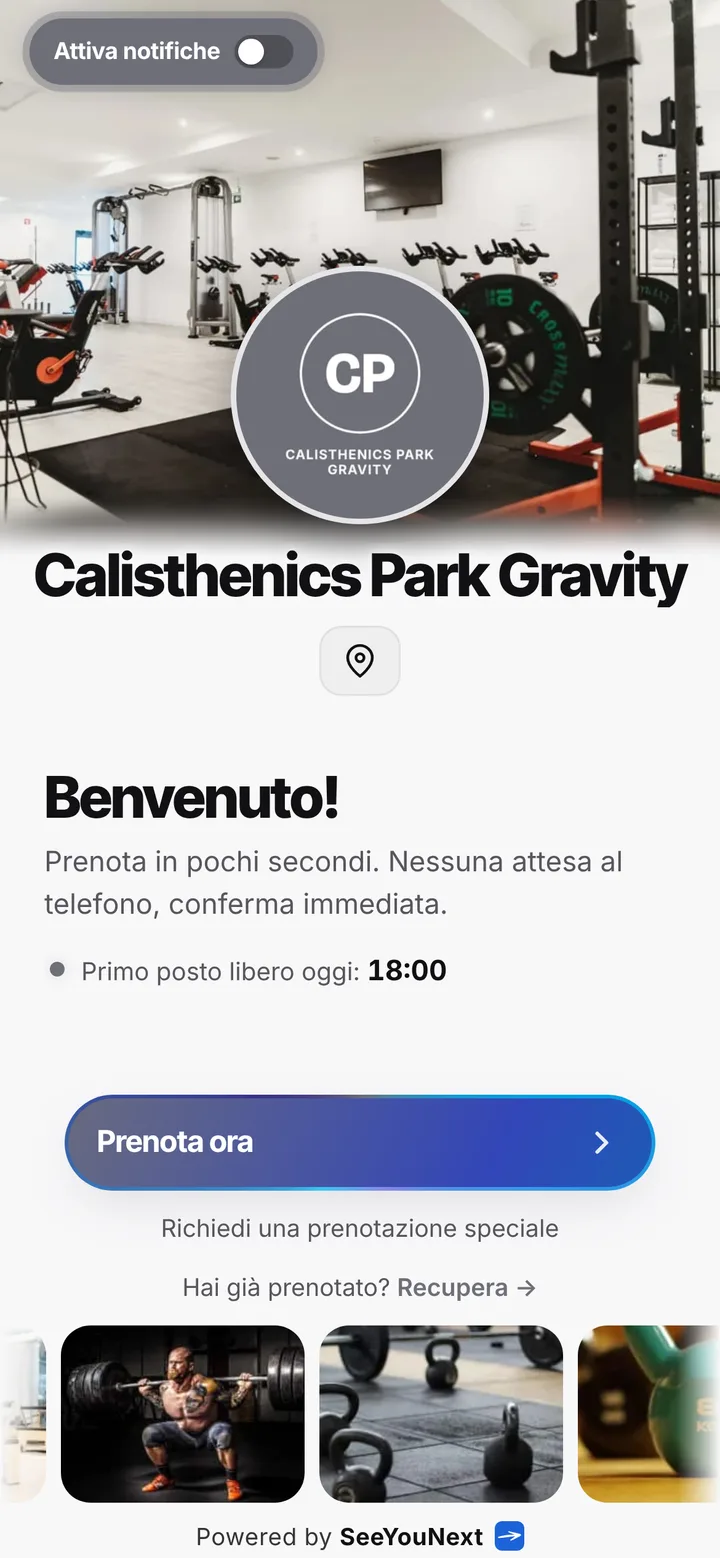
The booking page of Calisthenics Park Gravity, with logo, photos and the button to book
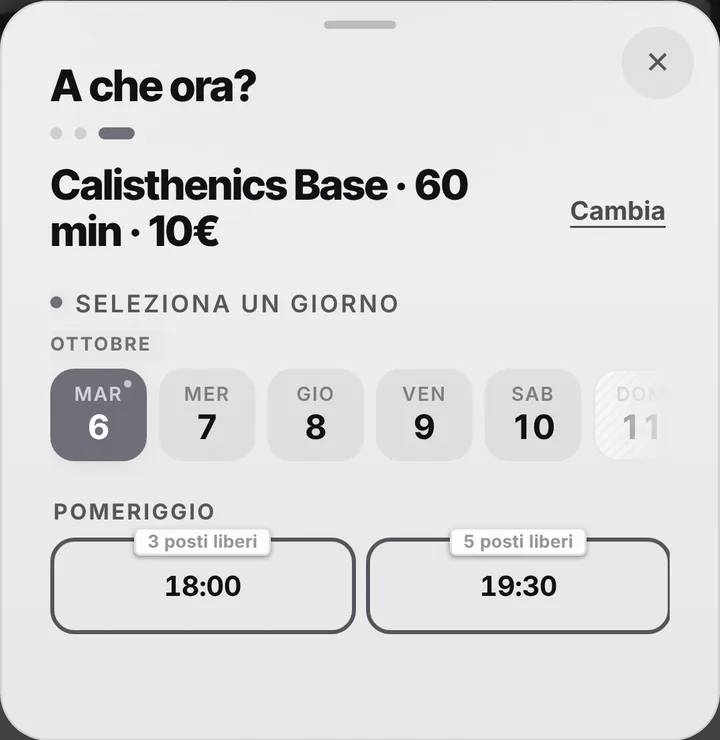
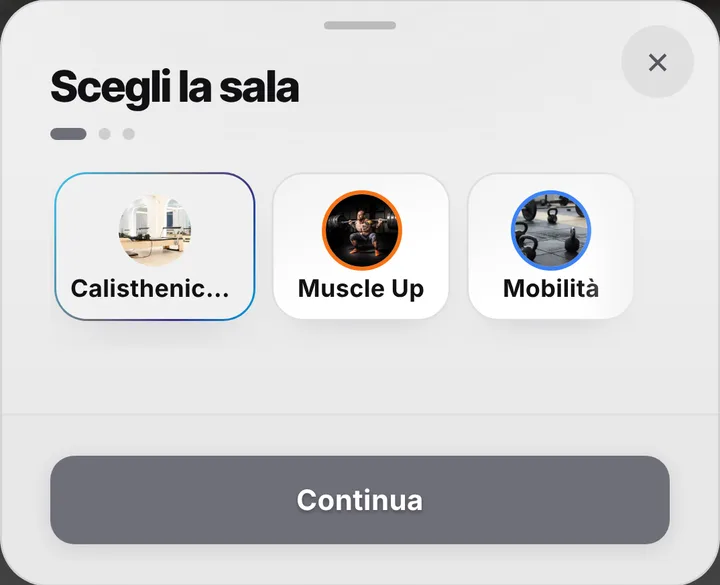
Choosing a service at Calisthenics Park Gravity, with duration and price
The free slots of the day at Calisthenics Park Gravity
  1. Opens your link

    From WhatsApp, Instagram or the QR code in your window.

  2. Picks a service

    With its duration and, if you like, the price.

  3. Picks a time

    Sees only the times where it really fits.

For your trade

Calisthenics, basic and advanced, indoors and out.

For calisthenics coaches: small groups, an outdoor area, different levels.

  • Indoor room and outdoor area

    Each with its own classes.

  • Small groups

    You decide the number of places.

  • Basic and advanced

    60 and 75 minutes.

  • Rain? Say it at the top

    A notice on the page everyone sees before booking.

  • Where to meet

    Address and map on your booking page.

  • Reminder and «I’ll be there»

    For those with notifications on, the day before and two hours before.

A day, for example

Saturday morning. Basic calisthenics at 9 in the outdoor area, 75 minutes of advanced at 10:30 indoors. The forecast says rain: with a notice at the top of the page you say the 9 o’clock class moves indoors.

With one tap

A session running long? Let them know with one tap.

You mark it on the booking and the client sees the new time on their page right away.

  • Running late

    If they turned on notifications, they also get an alert on their phone.

  • Finished early

    The same tap tells them they can come sooner. Their spot stays guaranteed.

  • WhatsApp

    Reminders and moves go out from your business’s number, with the message already written. No cost.

For you, running things

Cancel, move, alert. No phone calls.

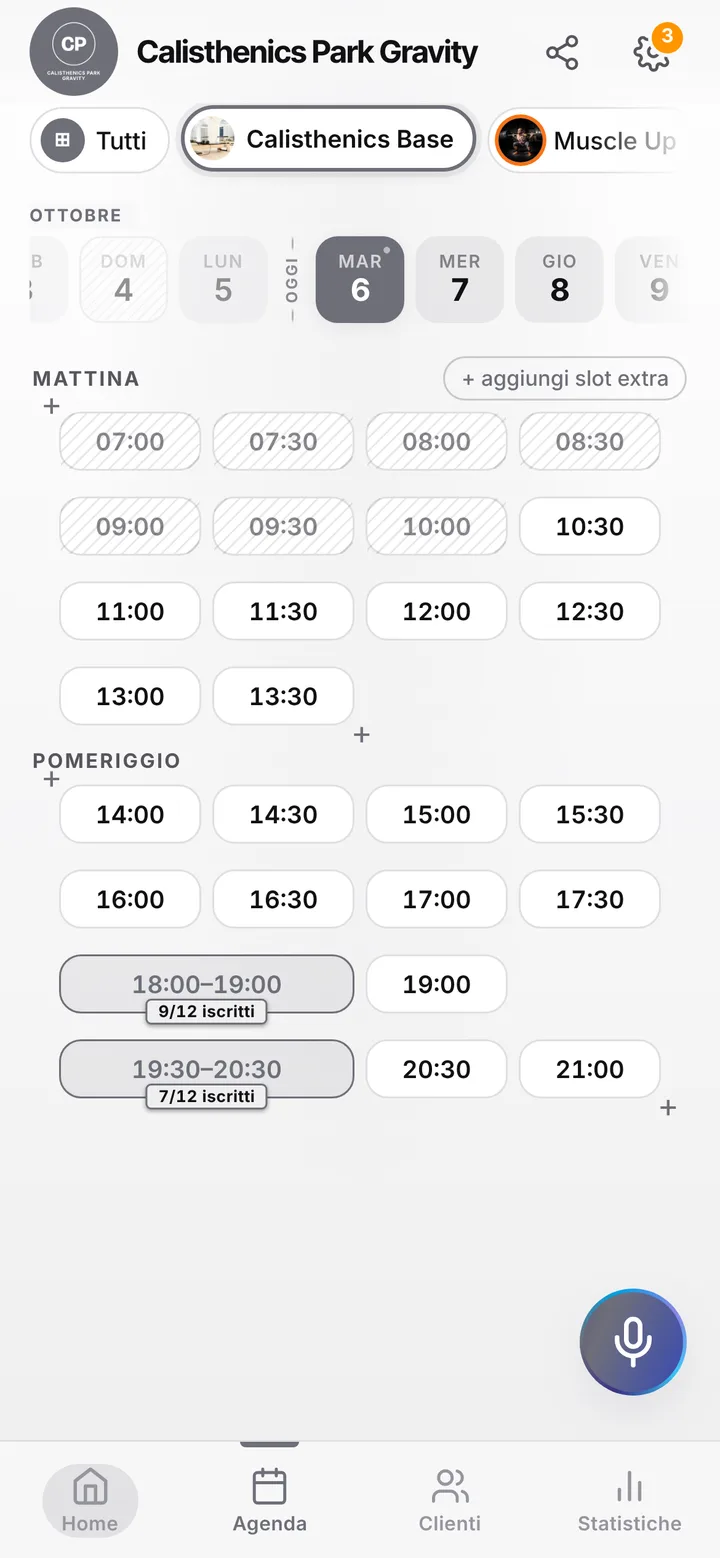
Tap the booking in your calendar and do everything from there.

  1. Cancel

    One tap and the slot is free for someone else.

  2. Move

    Put it in another free slot: the client sees the new time on their page.

  3. Alert

    Delays and early finishes as notifications to those who turned them on, reminders on WhatsApp from your number.

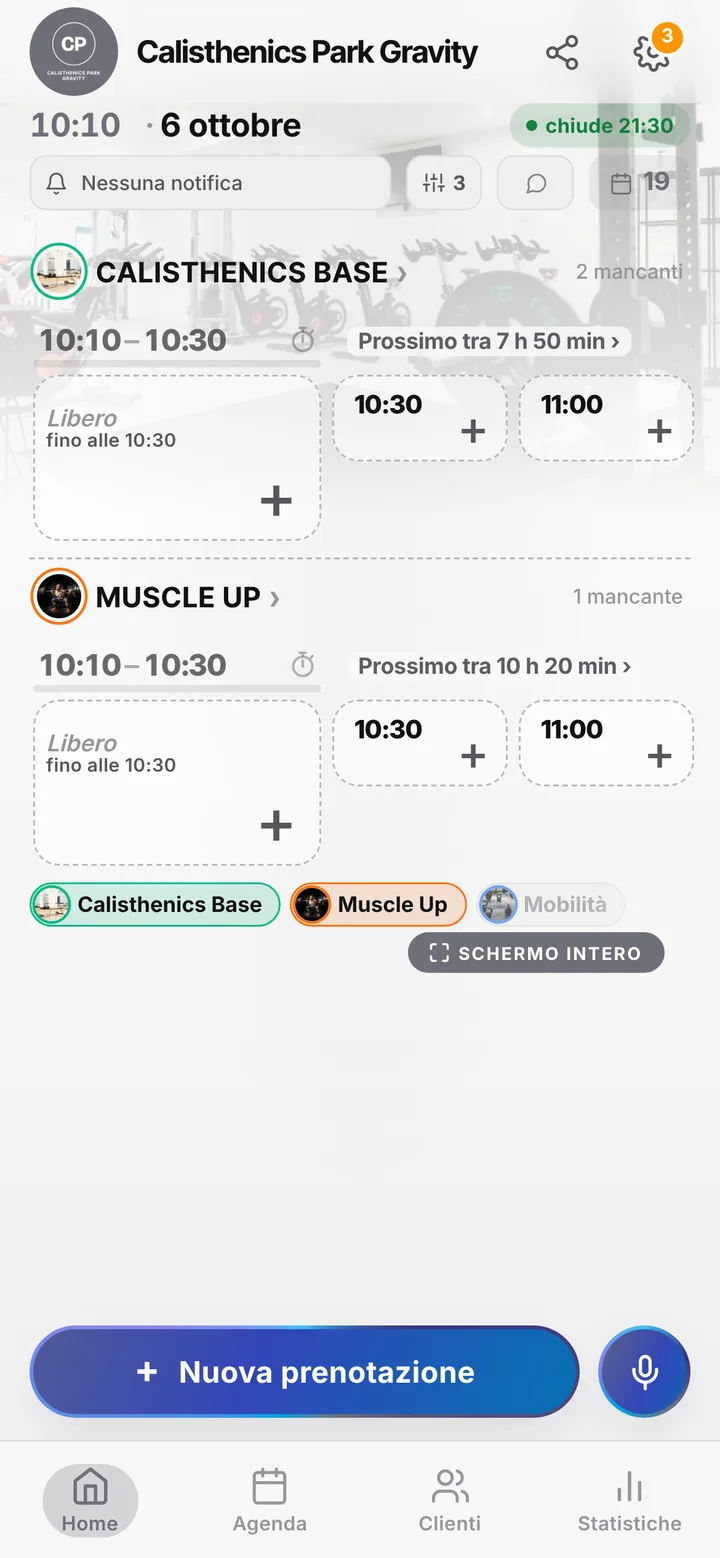
The day’s calendar at Calisthenics Park Gravity, with booked and free slots

In detail

Calisthenics classes with the bars counted and bookings in order.

Calisthenics gear is simple but not unlimited: there are only so many pull-up bars, parallettes and rings, and an overbooked class means people standing in line instead of pulling. Here’s how you organize your school’s classes, from first muscle-ups to handstands.

From the bar to the class

In the app your space is a room, and you create classes from its page: fundamentals for total beginners, pull-ups and dips, skills for front lever and planche, handstands, mobility. For each class choose how long it runs and how many spots it has, up to 50: with six bar stations and two pairs of rings, count your spots on those. Each time slot holds one class only, so handstands and fundamentals never trip over each other.

Different levels, one link

A beginner and someone already holding a planche shouldn’t end up in the same hour. Give each level its own class and name, and whoever opens the link picks theirs: they see the times, the spots left and, when it’s full, the waitlist. When someone frees a spot, people on the list with notifications on get an alert and can claim it. Use the notice at the top of your page to explain what to know before booking an advanced level: everyone reads it before choosing.

Outdoors in summer, indoors in winter

Many calisthenics schools move to an outdoor park with bars in summer. You can run that as a second room, with the location in the room’s name and in the page notice, and close the indoor room in the months you don’t use it. If a storm wipes out the outdoor class, block that time and reach the people booked through your client list, where every number is saved. To clients the app always calls the training spot a room, even when it’s grass with bars.

Clear rules, no checkout

By default people can cancel from their phone up to two hours before class; if you want more notice, extend it. Mark anyone who books and doesn’t turn up, and from then on their bookings wait for your approval. From the link each person holds two upcoming bookings at a time: someone coming four nights a week books as they go, or you add the others for them. Notification reminders go out the day before and two hours before to anyone who switched them on; the rest get a WhatsApp from you with one tap. SeeYouNext doesn’t take payments or sell class packs: fees and drop-ins stay as you handle them now.
Pricing

A fixed price. Today it’s free.

Zero commissions on what you earn: you pay a fixed price for your team size, which doesn’t go up with each extra person and doesn’t depend on how many clients you see.

If you join now

Price after the beta: €12 per month

You only pay it once the beta ends, then it stays locked in forever, whatever the size of your team.

Free during the beta

The beta ends in 5 months and 29 days

After the beta, for whoever joins later

How many of you are there?

1 person
  • Solo1 person€12/month
  • Small team2–3 people€19/month
  • Team4–6 people€26/month
  • Large team7–12 people€34/month

1 person. Solo: €12 per month.

Start for free, Beta

We don’t ask for your card. Unlimited clients and bookings.

What you’re wondering.

Can I split classes by level?

Yes: one class per level, each with its own name, hours and spots. People pick the one that fits them.

I train outdoors in summer. Does it still work?

Yes: create a room for the park, with its own classes and hours, and use the page notice to say where to meet.

How many people can I put in a bar class?

As many as your equipment handles, up to 50. People booking see how many spots are left.

Can people pay for a class online?

No. SeeYouNext doesn’t take payments: fees and drop-ins stay as they are today, with no fees on bookings.

Do my clients have to download an app?

No: they open your link and book. Regulars can install your business’s app, with your logo, straight from your page, on Android and iPhone. If they turn on notifications, that’s where reminders and alerts arrive.

What does it mean that SeeYouNext is in beta?

The features on this page are already there and you use them from day one, but we’re still polishing the app together with the people who use it: if something isn’t right, write to feedback@seeyounext.it. Meanwhile it’s free, payments aren’t switched on. When the beta ends, if you start now you pay €12 per month, VAT included, locked in forever, whatever the number of people who work with you.

Hours, price list and your logo, from your phone, in a few minutes. Then send the link.