
Skip to content

Booking app for martial arts schools –

Martial arts booking app

Kids’ judo at 5, adults at 8. Everyone on the right mat.

  • WhatsApp in one tap
  • Live queue
  • Start from your contacts
  • Zero commissions
  • Works with callers too
Start for free, Beta

Lock in your price now

Price after the beta: €12/monthFree during the beta

Then it stays this way forever, for your whole team. Whoever joins after the beta pays up to €34.

The beta ends in 5 months and 29 days

Your page
The client chooses
Your day

Sample business: Dojo Kenzan

From anywhere

Your client books in three taps.

From their phone, at any hour, without downloading anything or creating an account.

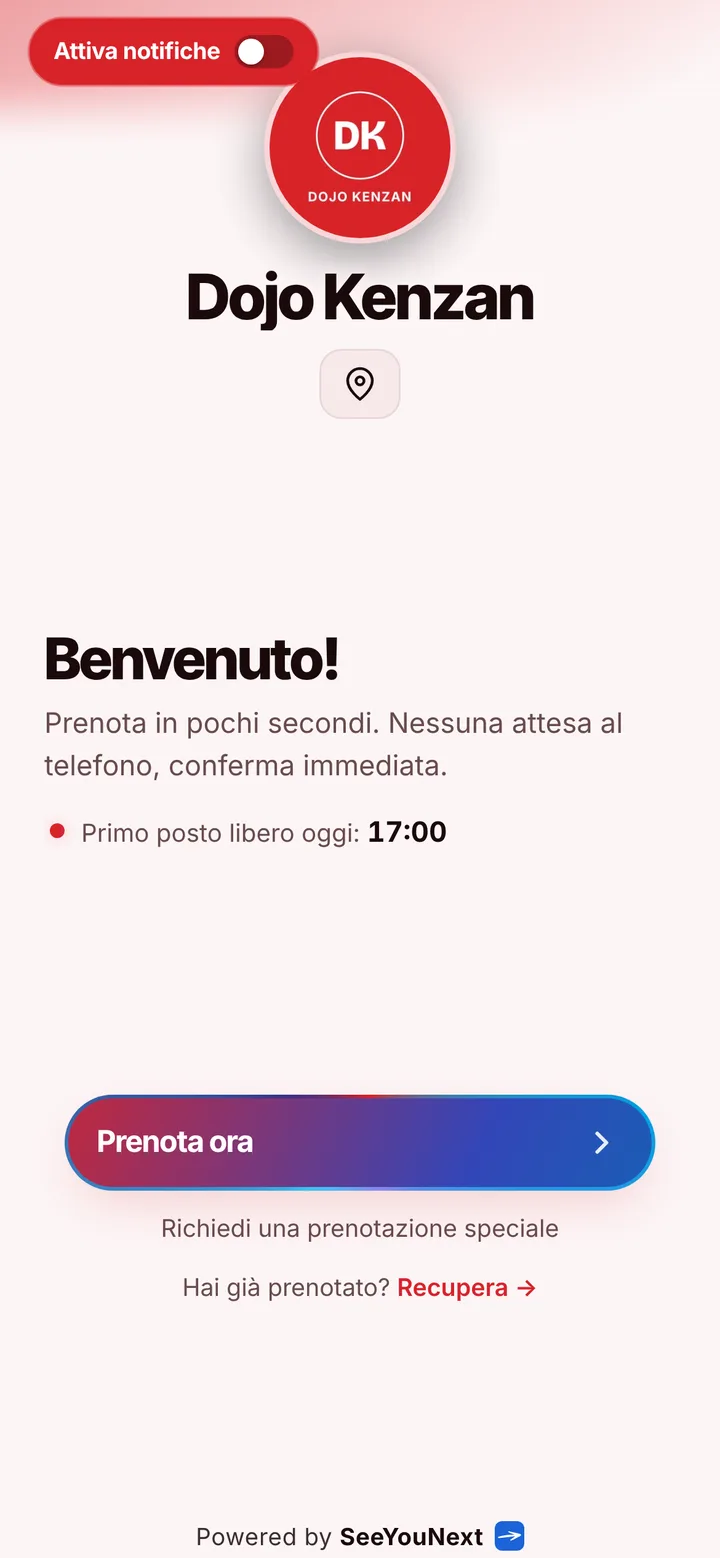
The booking page of Dojo Kenzan, with logo, photos and the button to book
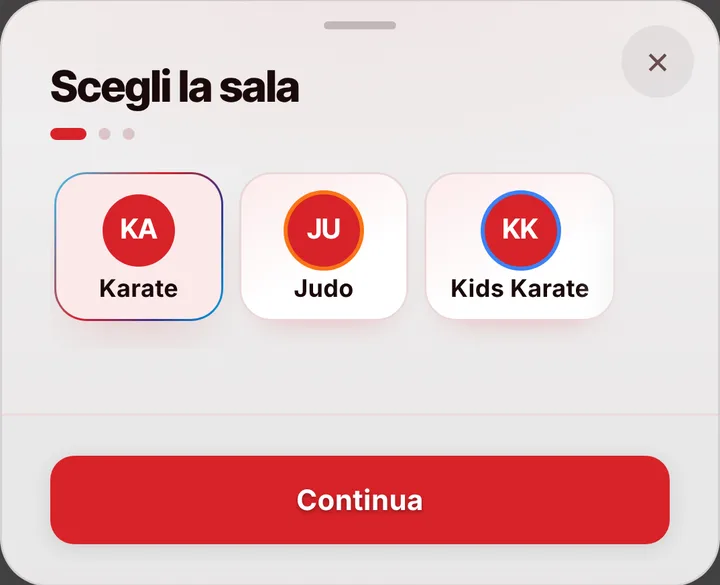
Choosing a service at Dojo Kenzan, with duration and price
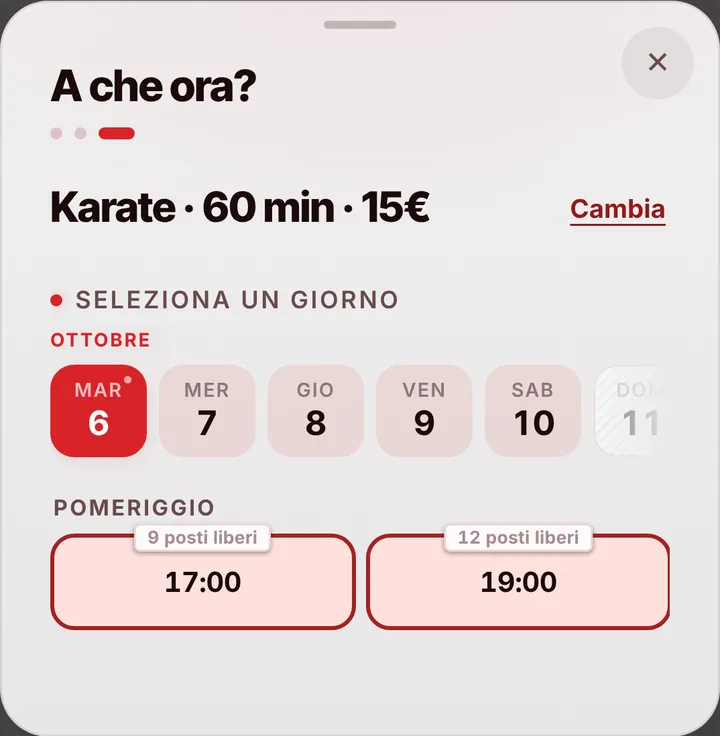
The free slots of the day at Dojo Kenzan
  1. Opens your link

    From WhatsApp, Instagram or the QR code in your window.

  2. Picks a service

    With its duration and, if you like, the price.

  3. Picks a time

    Sees only the times where it really fits.

For your trade

Karate, judo, ju-jitsu: the mats and the classes.

For the martial arts gym: classes by age and level, mats to share.

  • Mat 1, mat 2

    Each mat with its own classes.

  • Places per class

    You decide them, class by class.

  • Karate, judo, ju-jitsu

    60, 60 and 90 minutes, at fixed times.

  • The student’s name

    If a parent books, they write it in the note.

  • Grading day

    Block the mats and nobody books.

  • Senseis and instructors

    They join with the invite link, with the permissions you give.

A day, for example

Thursday. Kids’ karate at 5 pm on mat 1, judo at 6 on mat 2, 90 minutes of ju-jitsu at 8. A parent books a place for his son and writes the name in the note. On belt-grading Saturday you block the mats all day.

With one tap

A session running long? Let them know with one tap.

You mark it on the booking and the client sees the new time on their page right away.

  • Running late

    If they turned on notifications, they also get an alert on their phone.

  • Finished early

    The same tap tells them they can come sooner. Their spot stays guaranteed.

  • WhatsApp

    Reminders and moves go out from your business’s number, with the message already written. No cost.

For you, running things

Cancel, move, alert. No phone calls.

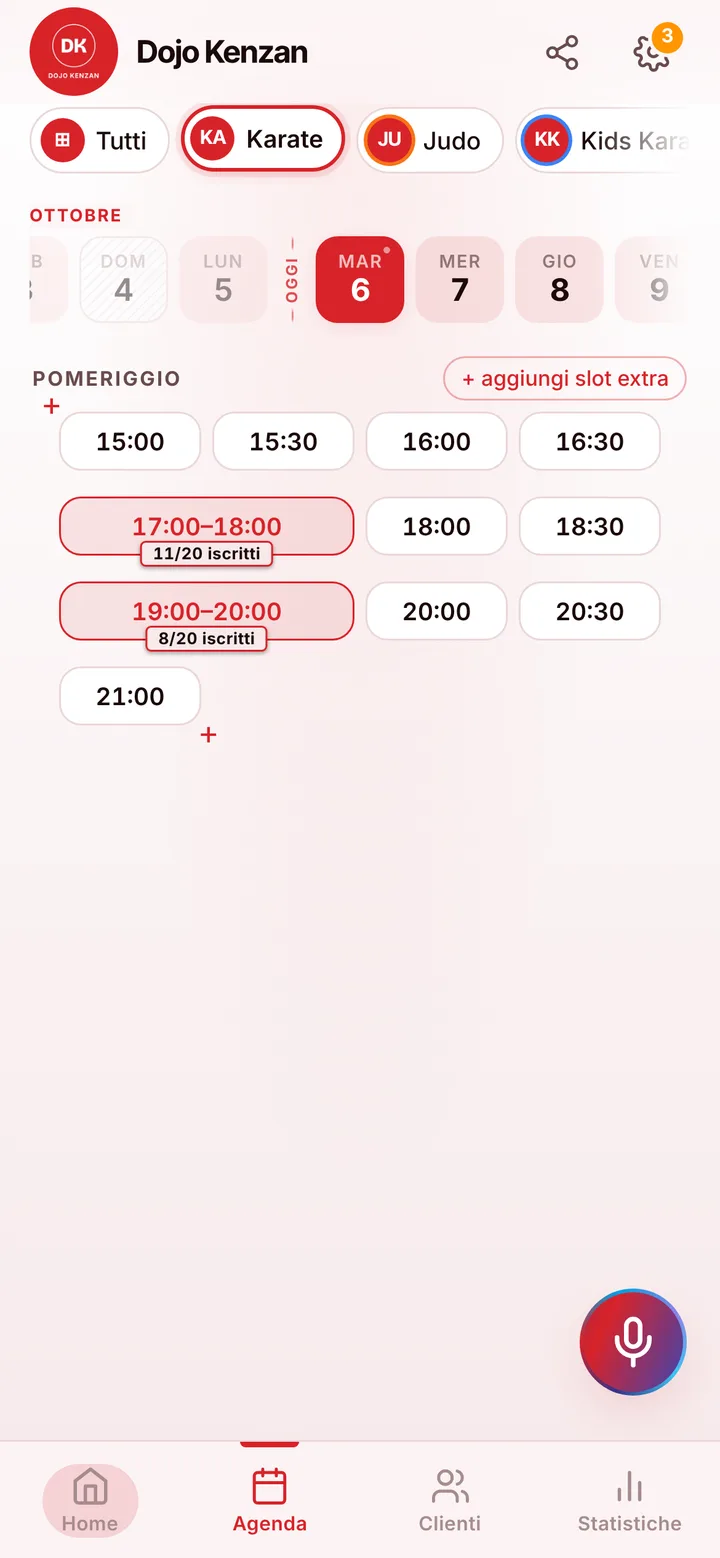
Tap the booking in your calendar and do everything from there.

  1. Cancel

    One tap and the slot is free for someone else.

  2. Move

    Put it in another free slot: the client sees the new time on their page.

  3. Alert

    Delays and early finishes as notifications to those who turned them on, reminders on WhatsApp from your number.

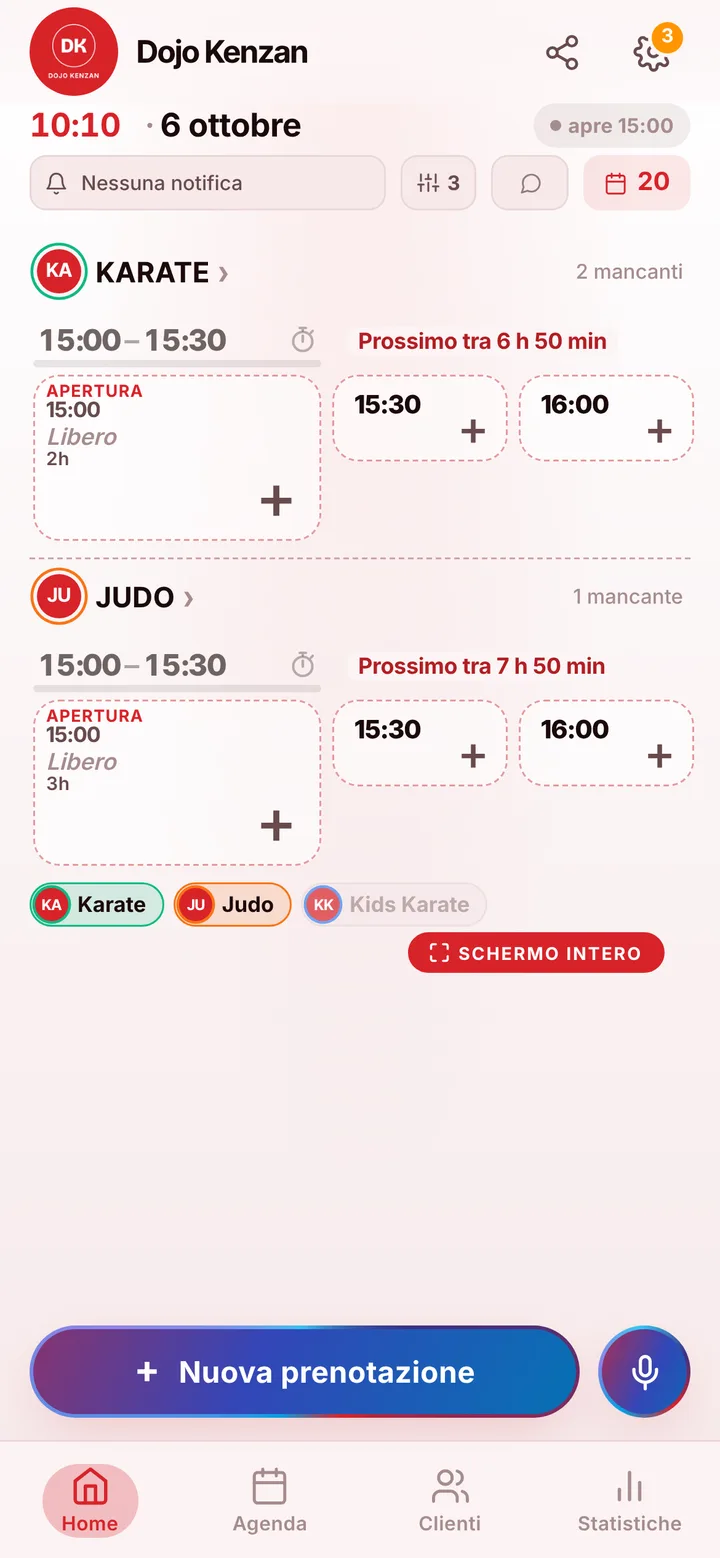
The day’s calendar at Dojo Kenzan, with booked and free slots

In detail

Karate, judo and jiu jitsu classes booked from your school’s link.

A martial arts school runs on fixed hours and very different groups: kids right after school, teens later, adults in the evening, each with their own instructor. Here’s how you keep mat space in order and handle sign-ups for the youngest students, which go through their parents.

Mats, classes and levels

In the app your mat area is a room. From its page you create classes one by one: kids’ karate, competition judo, Brazilian jiu jitsu, adult kickboxing, self-defense. Each has the length and spots you choose, up to 50, and you can split groups by age or belt just by giving them different names. Each time slot on the mat holds one class only. If your school has two mat areas, or a separate weight room, each gets its own calendar.

Parents book for the kids

For students under 18, the parent books under their own name and phone number: there’s no field on the booking for the child’s name. If you need it, write it yourself in that contact’s notes in your client list, which never appear on the public page. Reminders and updates therefore reach the parent: as a notification if they turned those on, or through WhatsApp with one tap from the school’s number. Online, a parent holds at most two upcoming bookings; for more kids or more classes, you add the rest from your calendar.

Instructors, belt exams and closures

Instructors sign in with their own access and whatever permissions you give them: they see who’s signed up for tonight and can add someone who asks at the front desk. Block belt-exam day or a weekend seminar on the calendar and announce it with the notice on your page, so nobody books a regular class that isn’t happening. Members can cancel from their phone up to two hours ahead by default, and you can change that. Anyone who misses class without telling you gets marked as a no-show, and their next bookings wait for your approval.

What your school keeps doing its own way

SeeYouNext doesn’t collect fees, sell class bundles or track belts and medical certificates: your own records handle those. It handles bookings: anyone opening the link sees today’s classes and open spots and, when a class is full, can join the waitlist to take the place of someone who drops out. Families who come every week install your school’s app with your logo and find the Tuesday class right away. From your phone you always know how many students will be on the mat.

Pricing

A fixed price. Today it’s free.

Zero commissions on what you earn: you pay a fixed price for your team size, which doesn’t go up with each extra person and doesn’t depend on how many clients you see.

If you join now

Price after the beta: €12 per month

You only pay it once the beta ends, then it stays locked in forever, whatever the size of your team.

Free during the beta

The beta ends in 5 months and 29 days

After the beta, for whoever joins later

How many of you are there?

1 person
  • Solo1 person€12/month
  • Small team2–3 people€19/month
  • Team4–6 people€26/month
  • Large team7–12 people€34/month

1 person. Solo: €12 per month.

Start for free, Beta

We don’t ask for your card. Unlimited clients and bookings.

What you’re wondering.

How do kids book a class?

A parent books, using their own name and phone number. There’s no field for the child’s name: if you need it, add it to the contact’s notes.

Can I split classes by age or belt?

Yes: create one class per group, each with its own name, hours and spots.

A parent has three kids in three classes. Can they book them all?

From the link they hold two active bookings at most. You add the third from your calendar, under their name.

Can I close the mat on exam day?

Yes: block that time or the whole day, and explain why with the notice on your page.

Can families pay yearly fees online?

No. SeeYouNext doesn’t take payments: you handle fees as you do today, with no fees on bookings.

What does it mean that SeeYouNext is in beta?

The features on this page are already there and you use them from day one, but we’re still polishing the app together with the people who use it: if something isn’t right, write to feedback@seeyounext.it. Meanwhile it’s free, payments aren’t switched on. When the beta ends, if you start now you pay €12 per month, VAT included, locked in forever, whatever the number of people who work with you.

Hours, price list and your logo, from your phone, in a few minutes. Then send the link.