Skip to content

Booking app for laser hair removal –

Booking app for laser hair removal

One area at a time, every session in its place.

  • WhatsApp in one tap
  • Live queue
  • Start from your contacts
  • Zero commissions
  • Works with callers too
Start for free, Beta

Lock in your price now

Price after the beta: €12/monthFree during the beta

Then it stays this way forever, for your whole team. Whoever joins after the beta pays up to €34.

The beta ends in 5 months and 29 days

Your page
The client chooses
Your day

Sample business: Laser Epil Center

From anywhere

Your client books in three taps.

From their phone, at any hour, without downloading anything or creating an account.

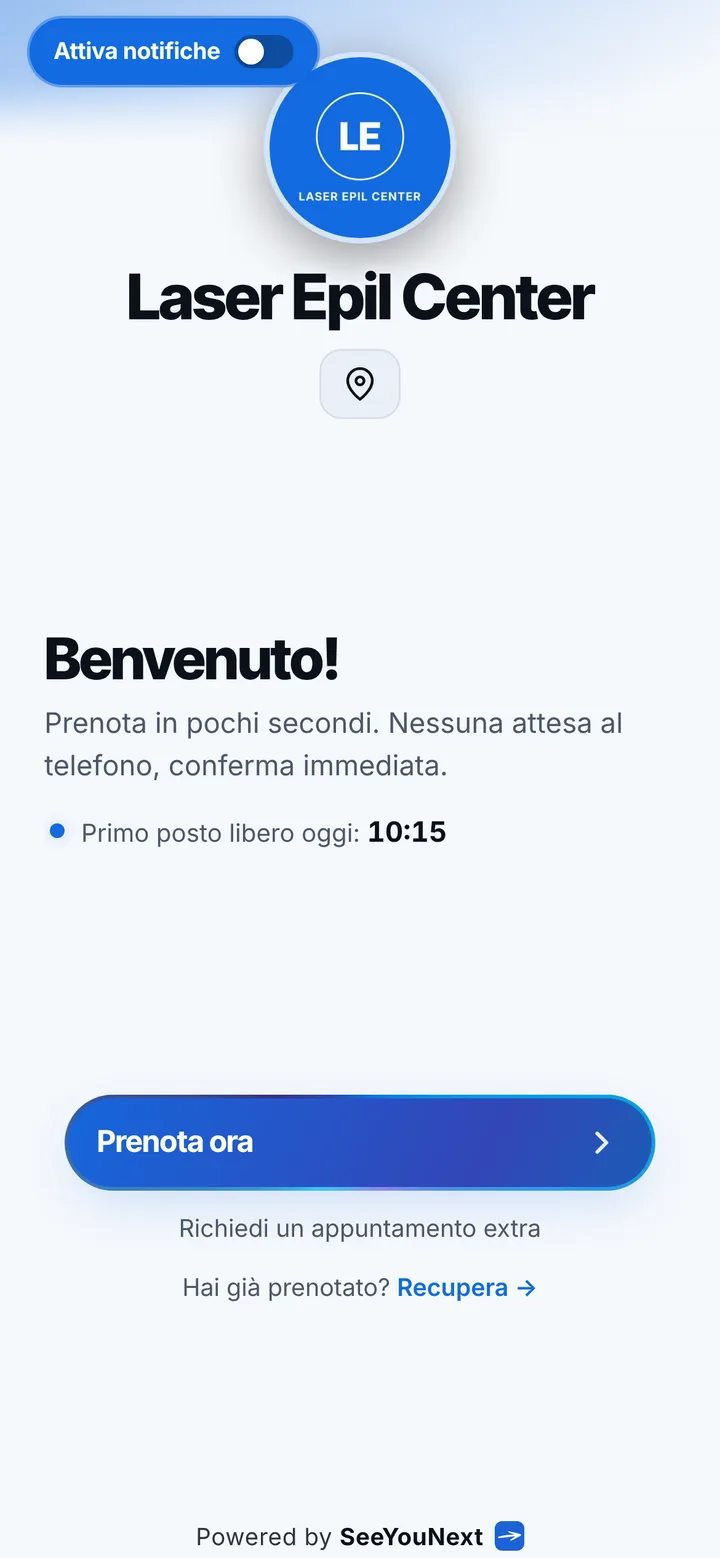
The booking page of Laser Epil Center, with logo, photos and the button to book
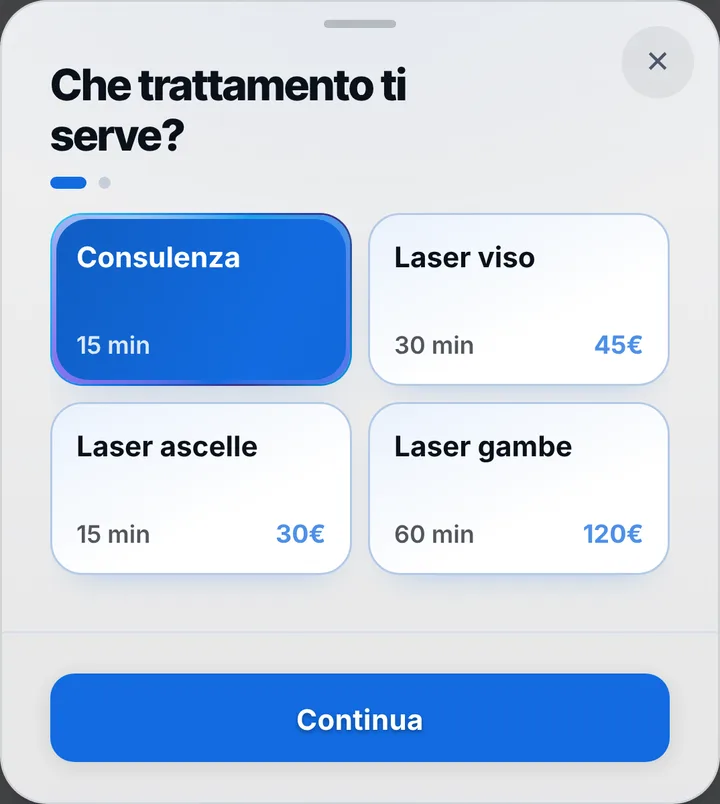
Choosing a service at Laser Epil Center, with duration and price
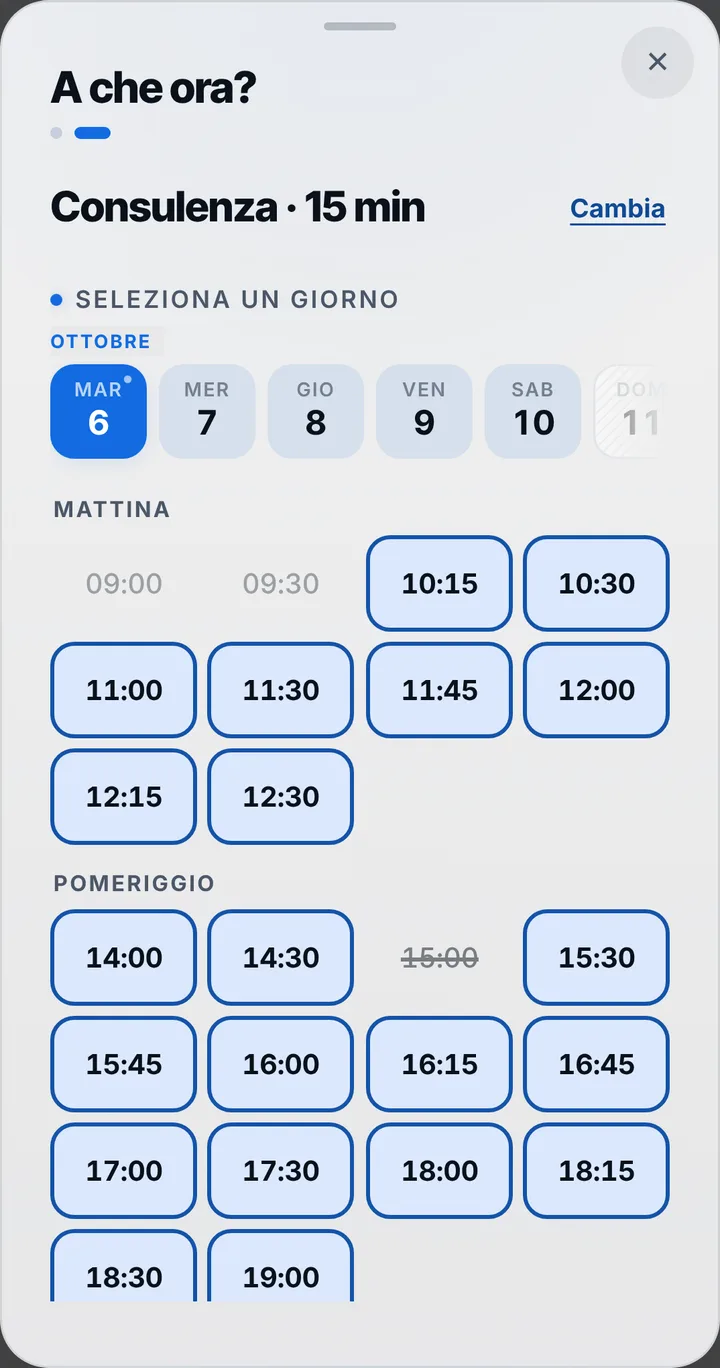
The free slots of the day at Laser Epil Center
  1. Opens your link

    From WhatsApp, Instagram or the QR code in your window.

  2. Picks a service

    With its duration and, if you like, the price.

  3. Picks a time

    Sees only the times where it really fits.

For your trade

Laser area by area, each with its own minutes.

For the laser hair removal centre: short sessions, many clients, different areas.

  • Area by area

    Face 30 minutes, underarms 15, legs 60; combinations you do often become one service.

  • Start with a consultation

    Write it at the top of your page, for first-timers.

  • The fifteen minutes that free up

    Waiting list: whoever is waiting with notifications on gets a notice.

  • More people, one centre

    Each with her own hours; clients pick who or the first one free.

  • Reminder and «I’ll be there»

    Anyone with notifications on gets a reminder; one tap confirms they’re coming.

  • Your days

    Statistics by day, week and month; takings only if you switch them on.

A day, for example

Monday. At 9 a fifteen-minute consultation, then underarms in 15 minutes, face in 30, legs in an hour. Whoever does several areas books the combined service you created. A client cancels at noon: the slot is free again and whoever is waiting with notifications on gets a notice.

With one tap

A treatment running long? Let them know with one tap.

You mark it on the booking and the client sees the new time on their page right away.

  • Running late

    If they turned on notifications, they also get an alert on their phone.

  • Finished early

    The same tap tells them they can come sooner. Their spot stays guaranteed.

  • WhatsApp

    Reminders and moves go out from your business’s number, with the message already written. No cost.

For you, running things

Cancel, move, alert. No phone calls.

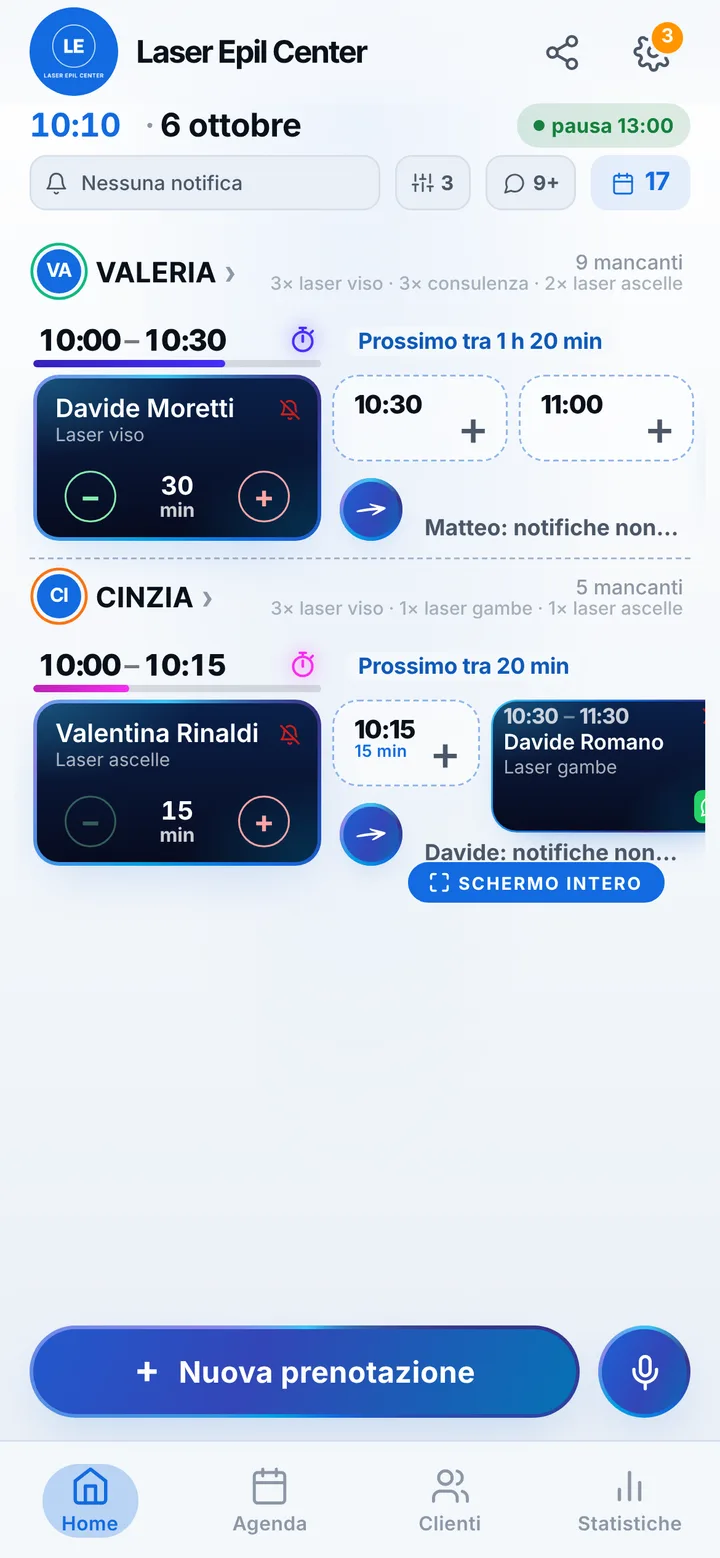
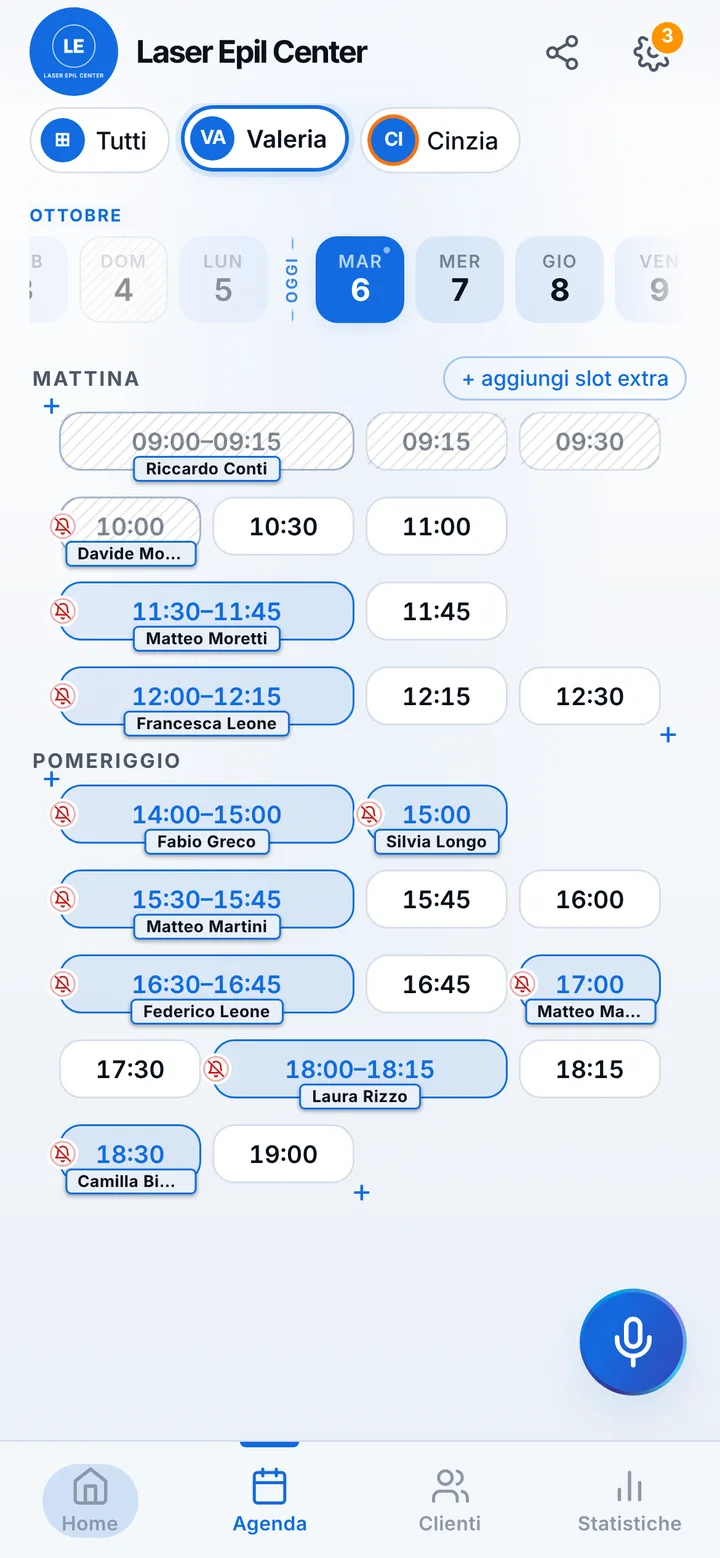
Tap the booking in your calendar and do everything from there.

  1. Cancel

    One tap and the slot is free for someone else.

  2. Move

    Put it in another free slot: the client sees the new time on their page.

  3. Alert

    Delays and early finishes as notifications to those who turned them on, reminders on WhatsApp from your number.

The day’s calendar at Laser Epil Center, with booked and free slots

In detail

Laser hair removal by appointment: short sessions, many areas, dates set by you.

In laser hair removal timing matters: a few weeks have to pass between sessions, and a missed one stretches things out for the client. Sessions are short and their length changes from area to area, and a stray fifteen minutes here and there adds up fast. Here is how to organize the calendar with a booking link.

A service for every area

The starting list has a fifteen minute consultation, face at thirty minutes, underarms at fifteen and legs at one hour. Add the areas you treat, bikini line, back, arms, upper lip, each with its own minutes, and the page only offers times where that area fits. If clients often do several areas together, create a combined service, say underarms and bikini, with its total length. With the areas split cleanly, the short treatments fill the spaces between the long ones.

First time starts with a consultation

Before the first treatment you want to look at the skin and explain how it works. Active areas stay bookable from the link too, so say in the notice at the top of your page that first-timers start with a consultation: you book the sessions yourself after meeting the client. The fifteen minute consultation slips between two sessions without stopping the day. Health and skin information stays on your consent form: in the calendar notes you only write practical things, like the area to treat or the days she is free.

You set the next sessions

SeeYouNext does not sell courses of sessions or packages: each session is its own appointment. At the end of a treatment you look at the calendar together and add the next session at the right distance; she finds it on her page. From the link she can hold at most two active bookings, so dates further out are added by you. If that day does not work, she asks to move it from her page, at least two hours ahead, and you accept with one tap. Prices per area appear on the page only if you switch them on.

Fewer missed sessions

Reminders arrive as notifications for clients who turned them on, the day before and two hours before, and from the reminder they can confirm they will be there. For the others you send one with a tap on WhatsApp, by text or with a call, from the center’s number. If a treatment runs long, mark the delay and whoever is next sees it on her page. A client who skips without warning gets marked as a no-show: her next requests wait for your go-ahead. If there are several of you at the center, each person has her own calendar and the areas she treats.
Pricing

A fixed price. Today it’s free.

Zero commissions on what you earn: you pay a fixed price for your team size, which doesn’t go up with each extra person and doesn’t depend on how many clients you see.

If you join now

Price after the beta: €12 per month

You only pay it once the beta ends, then it stays locked in forever, whatever the size of your team.

Free during the beta

The beta ends in 5 months and 29 days

After the beta, for whoever joins later

How many of you are there?

1 person
  • Solo1 person€12/month
  • Small team2–3 people€19/month
  • Team4–6 people€26/month
  • Large team7–12 people€34/month

1 person. Solo: €12 per month.

Start for free, Beta

We don’t ask for your card. Unlimited clients and bookings.

What you’re wondering.

Can I sell a package of sessions?

No: SeeYouNext does not sell packages or take payments. Each session is an appointment, and you add the next ones to the calendar yourself.

Can a client book all her sessions on her own?

From the link she can have at most two active bookings. You add the later dates yourself, usually at the end of a session.

Where do I record skin type and medication?

Not in the calendar notes: that is health data and it stays on your consent form. Notes are for practical information only.

Can I have clients book only the consultation from the link?

Not with a switch: every active area stays bookable from the link. Say in the notice at the top of your page that clients start with a consultation, and book the sessions yourself.

Do my clients have to download an app?

No: they open your link and book. Regulars can install your business’s app, with your logo, straight from your page, on Android and iPhone. If they turn on notifications, that’s where reminders and alerts arrive.

What does it mean that SeeYouNext is in beta?

The features on this page are already there and you use them from day one, but we’re still polishing the app together with the people who use it: if something isn’t right, write to feedback@seeyounext.it. Meanwhile it’s free, payments aren’t switched on. When the beta ends, if you start now you pay €12 per month, VAT included, locked in forever, whatever the number of people who work with you.

Hours, price list and your logo, from your phone, in a few minutes. Then send the link.