Skip to content

Booking app for car repair shops –

Booking app for car repair shops

Hands in the engine, a schedule that fills itself.

  • WhatsApp in one tap
  • Live queue
  • Start from your contacts
  • Zero commissions
  • Works with callers too
Start for free, Beta

Lock in your price now

Price after the beta: €12/monthFree during the beta

Then it stays this way forever, for your whole team. Whoever joins after the beta pays up to €34.

The beta ends in 5 months and 29 days

Your page
The client chooses
Your day

Sample business: Officina Moretti

From anywhere

Your client books in three taps.

From their phone, at any hour, without downloading anything or creating an account.

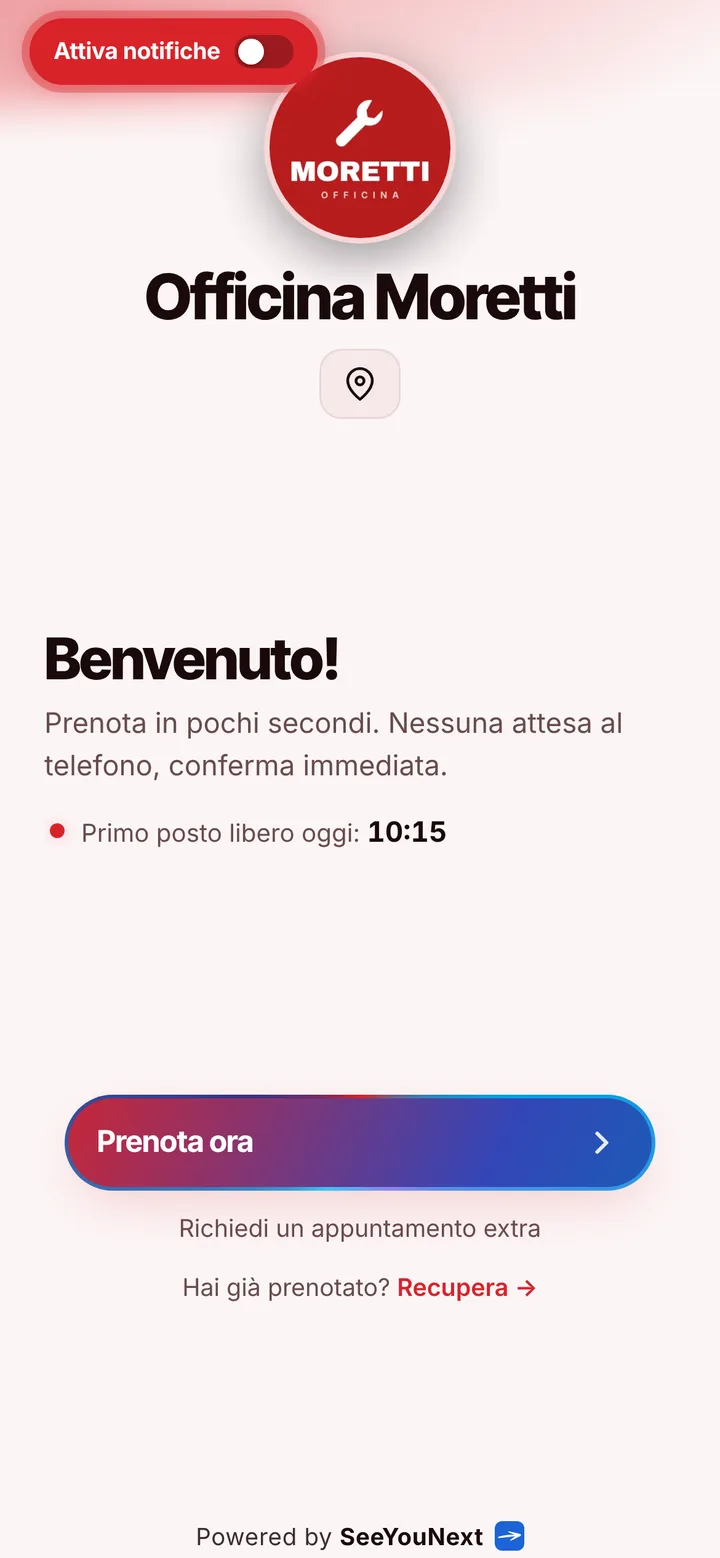
The booking page of Officina Moretti, with logo, photos and the button to book
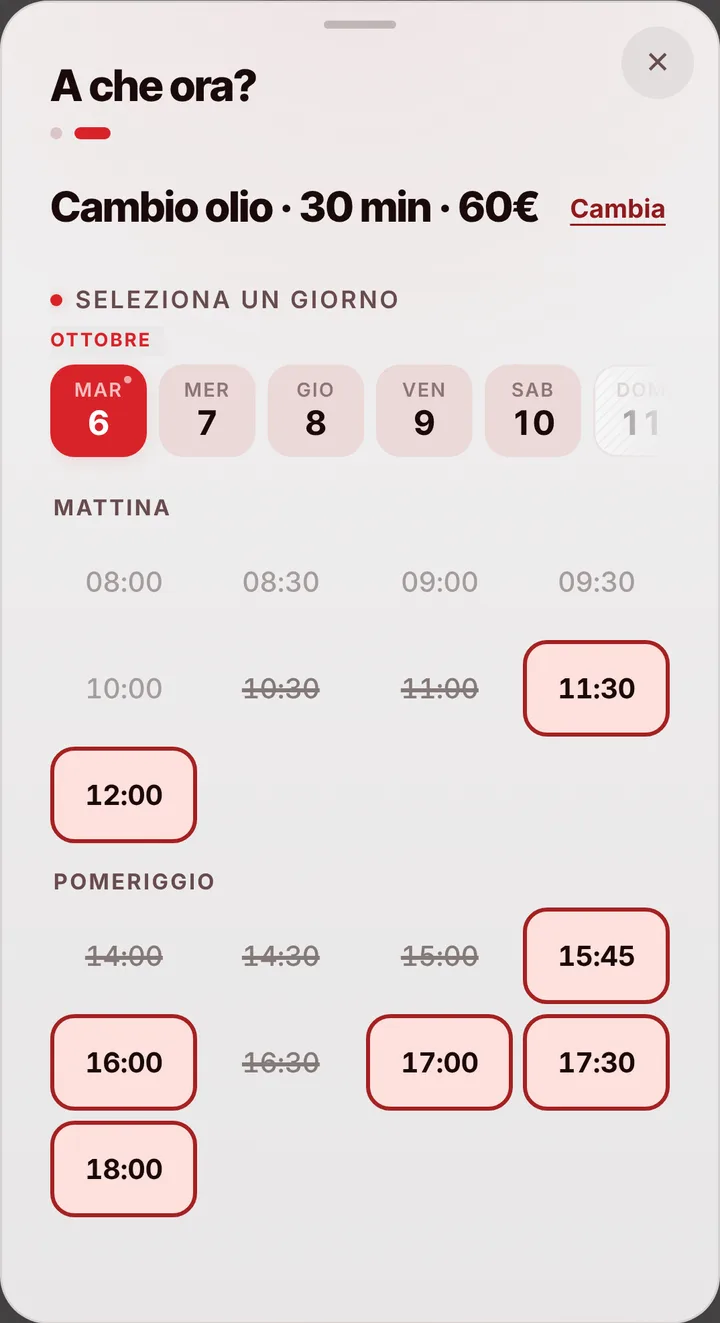
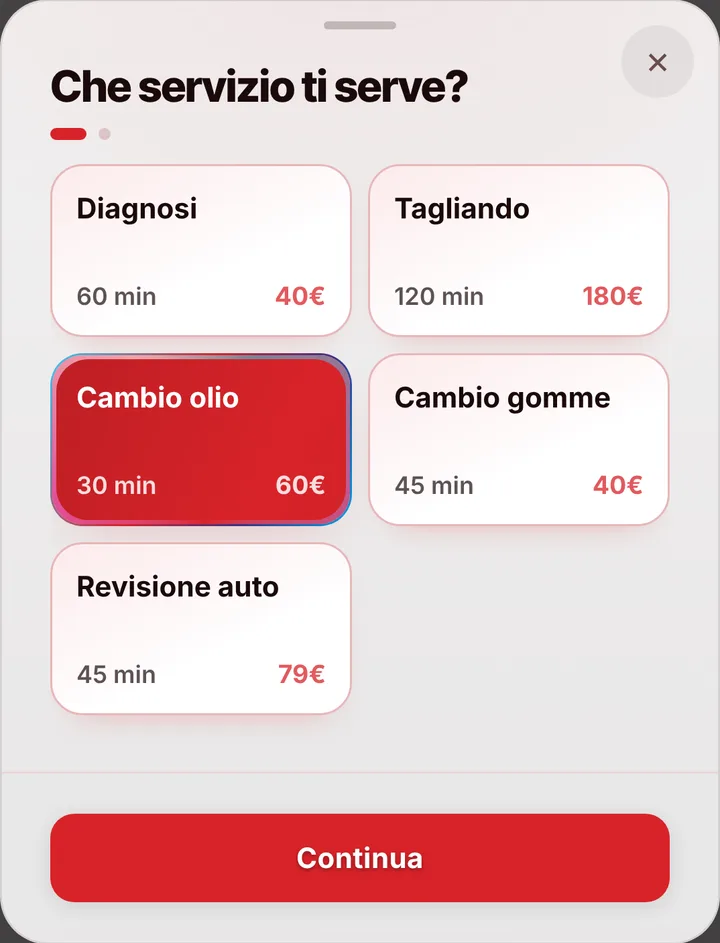
Choosing a service at Officina Moretti, with duration and price
The free slots of the day at Officina Moretti
  1. Opens your link

    From WhatsApp, Instagram or the QR code in your window.

  2. Picks a service

    With its duration and, if you like, the price.

  3. Picks a time

    Sees only the times where it really fits.

For your trade

Services, diagnostics and oil changes, in the diary.

For the garage: jobs of different lengths, customers calling while you’re under a car.

  • Diagnostics, service, oil change

    60, 120 and 30 minutes: the diary never puts two jobs at the same time.

  • Plate and model

    Customers write them in the note when booking.

  • Several mechanics

    Each with their own diary and jobs.

  • Dirty hands

    Book by voice: say it, check, confirm.

  • A job that runs long

    The next customer sees the new time on their page.

  • Book from Google

    The link on your Google profile: Maps can show «Book».

A day, for example

Monday. At 8:30 a two-hour service, at 10:30 an hour of diagnostics, at 11:30 a half-hour oil change. The service customer wrote plate and model in the note. While you’re under the car the phone doesn’t ring: the others book from the link.

With one tap

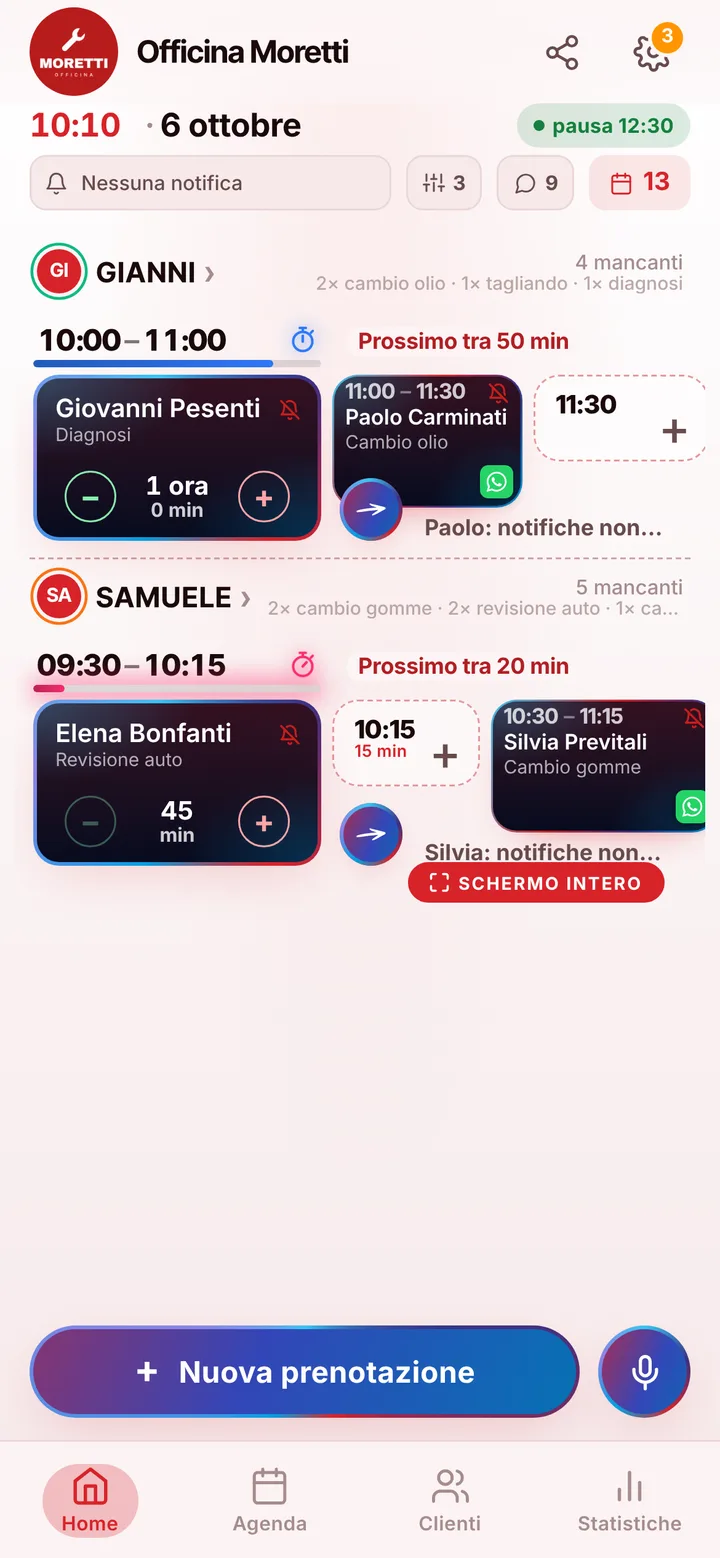
Appointment running long? One tap to let them know.

You mark it on the booking and the client sees the new time on their page right away.

  • Running late

    If they turned on notifications, they also get an alert on their phone.

  • Finished early

    The same tap tells them they can come sooner. Their spot stays guaranteed.

  • WhatsApp

    Reminders and moves go out from your business’s number, with the message already written. No cost.

For you, running things

Cancel, move, alert. No phone calls.

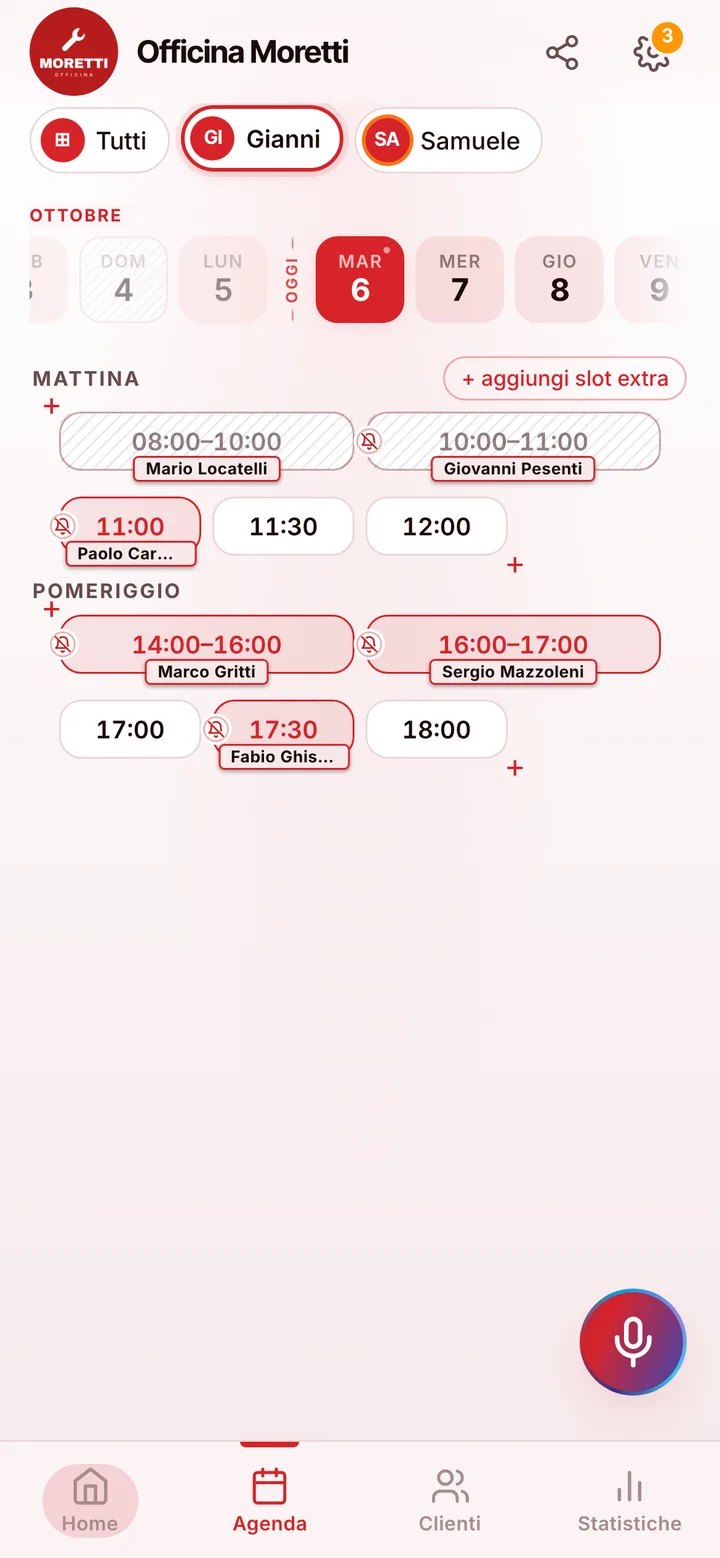
Tap the booking in your calendar and do everything from there.

  1. Cancel

    One tap and the slot is free for someone else.

  2. Move

    Put it in another free slot: the client sees the new time on their page.

  3. Alert

    Delays and early finishes as notifications to those who turned them on, reminders on WhatsApp from your number.

The day’s calendar at Officina Moretti, with booked and free slots

In detail

A repair shop customers book from a link, so you never answer with greasy hands.

In a garage the phone always rings when you are under a car on the lift, and a customer who gets no answer drives to the shop down the road. Here is how a booking app lines up services, oil changes and diagnostics, and where it stays a plain calendar.

Service, oil change, diagnostics: each with its own time

When you open the account three items are ready: diagnostics for an hour, a full service for two hours, an oil change for thirty minutes. Adjust them to the real times of your shop and add the rest: brakes, timing belt, battery replacement, a check before the summer trip. Whoever opens your link picks the job and only sees times when it fits completely, so a full service is never squeezed into a twenty minute gap between two oil changes. Prices stay hidden until you decide to show them, since for many jobs you only quote after seeing the car.

The schedule follows mechanics, not lifts

Every person in the shop has a column in the schedule, with their own hours and the jobs they handle: if only one of you works on electronics, only that person gets diagnostics. One account holds up to 12 people. One thing should be clear: SeeYouNext counts people, not lifts. With three mechanics and two lifts, you set the hours so they do not overlap. A customer who walks up to the counter goes in within seconds, even by dictating the booking while you wipe your hands.

Plate and model live in your contacts

Customers who book from the link leave a name and phone number, and the booking does not ask for a license plate or model. You write them once in the customer notes in your contacts, something like “2015 Civic, diesel, plate 7AB…”, and find them every time that person comes back, along with their appointment history. A customer who wants to describe a strange noise can leave a message in the booking note. When the service is done, you book the next one in front of them: the app does not track due dates or send call-backs, so you choose the date together.

People who forget, run late or never show up

Customers who turned on notifications get a reminder on their own, twenty-four hours ahead and again two hours before. Everyone else gets a ready-made WhatsApp message: tap the booking and it goes out from the shop number. If a job runs over because a part arrived late, send the delay notice and the next customer knows to come later. Mark anyone who leaves the slot empty without warning as a no-show, and from then on their requests wait for your approval. One thing the app does not do: it does not tell people their car is ready. That call is still yours.
Pricing

A fixed price. Today it’s free.

Zero commissions on what you earn: you pay a fixed price for your team size, which doesn’t go up with each extra person and doesn’t depend on how many clients you see.

If you join now

Price after the beta: €12 per month

You only pay it once the beta ends, then it stays locked in forever, whatever the size of your team.

Free during the beta

The beta ends in 5 months and 29 days

After the beta, for whoever joins later

How many of you are there?

1 person
  • Solo1 person€12/month
  • Small team2–3 people€19/month
  • Team4–6 people€26/month
  • Large team7–12 people€34/month

1 person. Solo: €12 per month.

Start for free, Beta

We don’t ask for your card. Unlimited clients and bookings.

What you’re wondering.

Can customers enter their license plate when booking?

Not in a dedicated field: the booking asks for a name and phone number. You keep plate and model in the customer notes, and the customer can add them in the booking note.

Can I manage car lifts as resources?

No: in SeeYouNext every column in the schedule is a person. If you have fewer lifts than mechanics, you set the hours so they do not overlap.

Does the app tell customers when the car is ready?

No, there is no pickup notice today: you call or text them yourself. The app sends reminders before the appointment and a notice when you are running late.

Can I send estimates from the app?

No: SeeYouNext handles appointments, not documents. You prepare and send the estimate the way you do now.

Do my clients have to download an app?

No: they open your link and book. Regulars can install your business’s app, with your logo, straight from your page, on Android and iPhone. If they turn on notifications, that’s where reminders and alerts arrive.

What does it mean that SeeYouNext is in beta?

The features on this page are already there and you use them from day one, but we’re still polishing the app together with the people who use it: if something isn’t right, write to feedback@seeyounext.it. Meanwhile it’s free, payments aren’t switched on. When the beta ends, if you start now you pay €12 per month, VAT included, locked in forever, whatever the number of people who work with you.

Hours, price list and your logo, from your phone, in a few minutes. Then send the link.