Skip to content

Booking app for osteopaths –

Booking app for osteopaths

Hands on the patient, bookings where they belong.

  • WhatsApp in one tap
  • Live queue
  • Start from your contacts
  • Zero commissions
  • Works with callers too
Start for free, Beta

Lock in your price now

Price after the beta: €12/monthFree during the beta

Then it stays this way forever, for your whole team. Whoever joins after the beta pays up to €34.

The beta ends in 5 months and 29 days

Your page
The client chooses
Your day

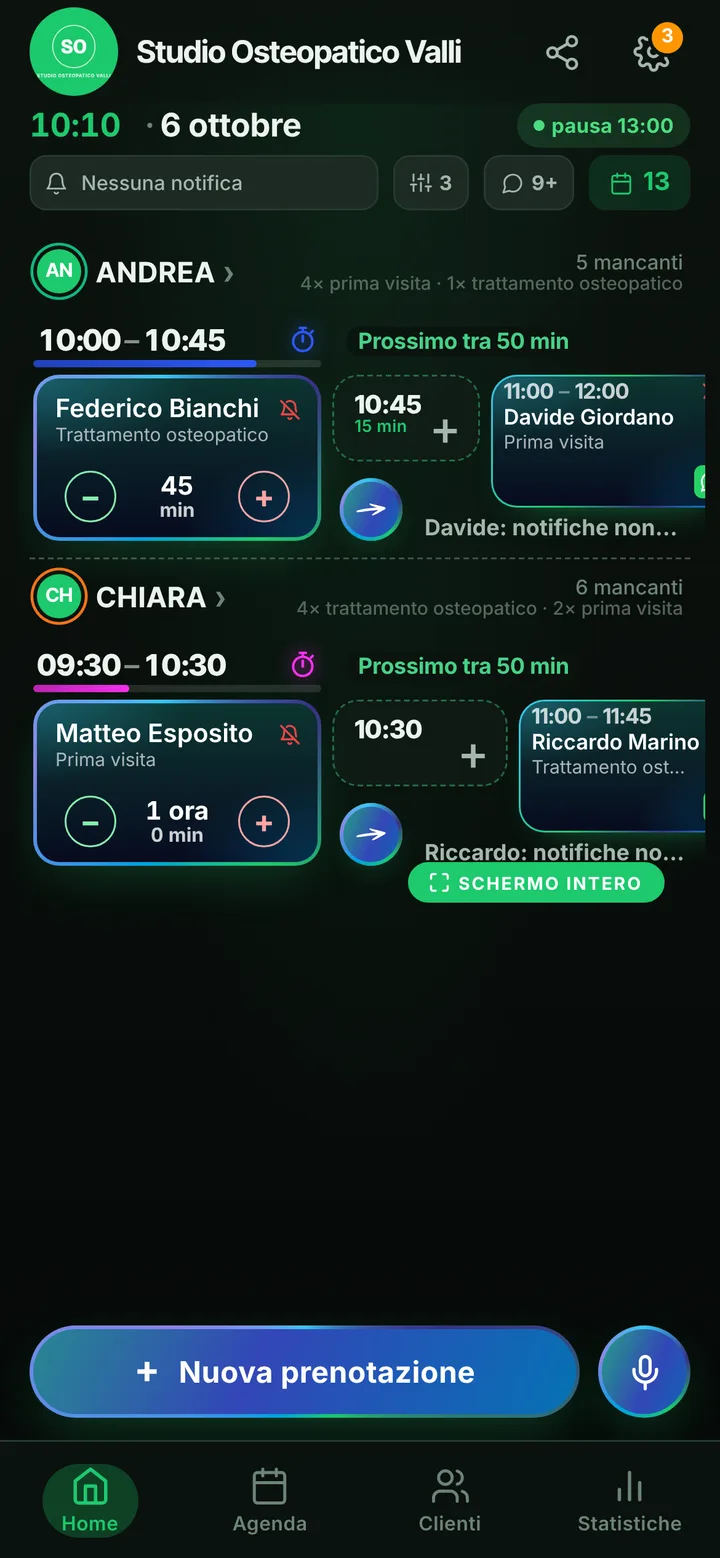
Sample business: Studio Osteopatico Valli

From anywhere

Your client books in three taps.

From their phone, at any hour, without downloading anything or creating an account.

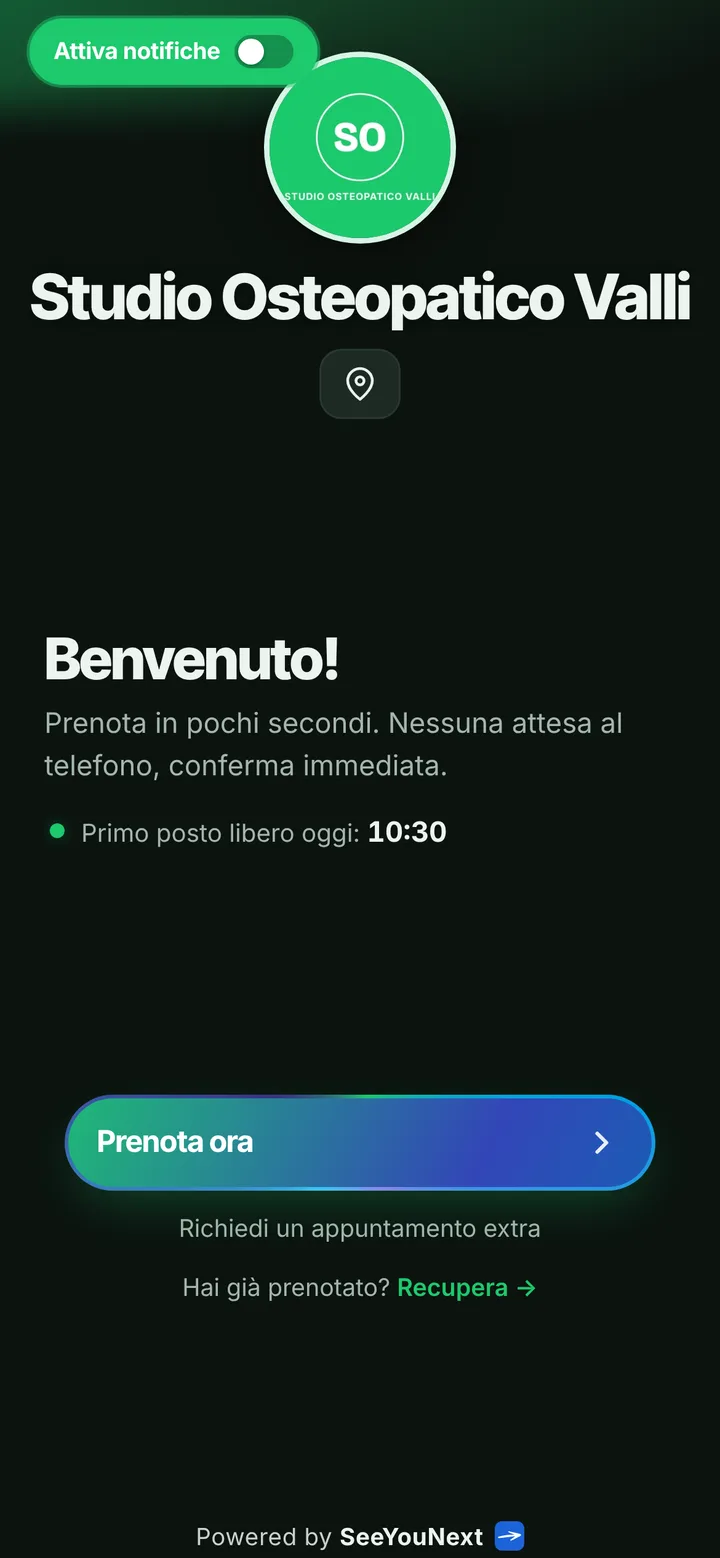
The booking page of Studio Osteopatico Valli, with logo, photos and the button to book
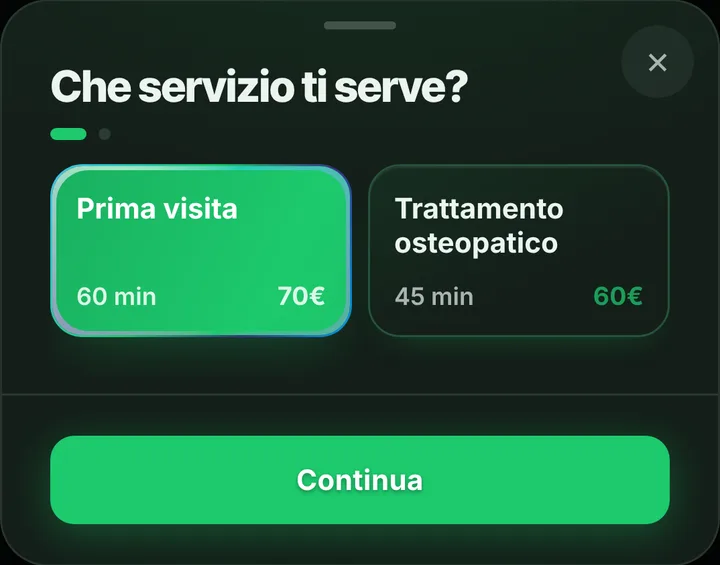
Choosing a service at Studio Osteopatico Valli, with duration and price
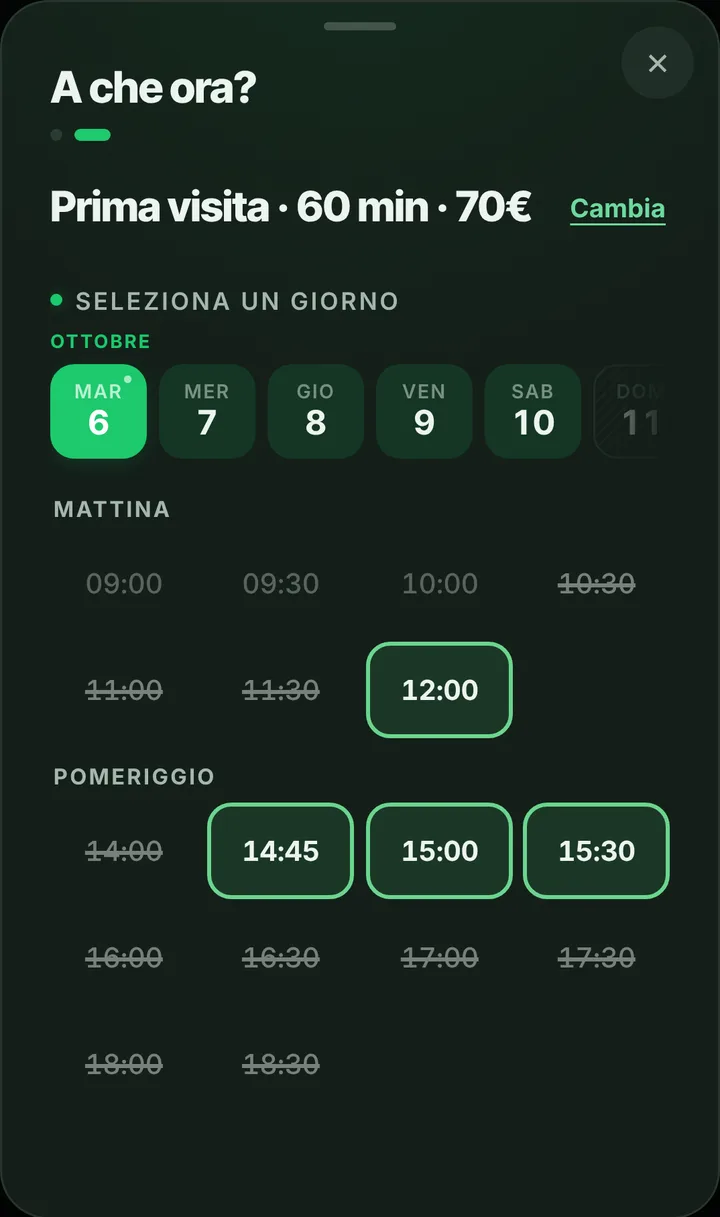
The free slots of the day at Studio Osteopatico Valli
  1. Opens your link

    From WhatsApp, Instagram or the QR code in your window.

  2. Picks a service

    With its duration and, if you like, the price.

  3. Picks a time

    Sees only the times where it really fits.

For your trade

Forty-five-minute treatments, with a longer first visit.

For the osteopath who works alone and doesn’t answer during treatment.

  • First visit and treatment

    60 and 45 minutes: the first visit always gets the full hour.

  • First-timers start with a first visit

    Write it at the top of your page.

  • Two practices, one diary

    Block the hours you’re elsewhere and nobody books them.

  • The Saturday you don’t work

    Whoever wants it sends a request with a note; you decide.

  • Reminders without details

    Day, time and practice as a notification, for those who turned them on.

  • Book from your Google profile

    Add the link to your profile: Search and Maps can show «Book».

A day, for example

Thursday. An hour-long first visit at 9, then 45-minute osteopathic treatments until 1 pm. In the afternoon you’re at another practice: it’s blocked in the diary and nobody books it. A new patient wants a Saturday morning you don’t work: he sends you a request with a note.

With one tap

Appointment running long? One tap to let them know.

You mark it on the booking and the client sees the new time on their page right away.

  • Running late

    If they turned on notifications, they also get an alert on their phone.

  • Finished early

    The same tap tells them they can come sooner. Their spot stays guaranteed.

  • WhatsApp

    Reminders and moves go out from your business’s number, with the message already written. No cost.

For you, running things

Cancel, move, alert. No phone calls.

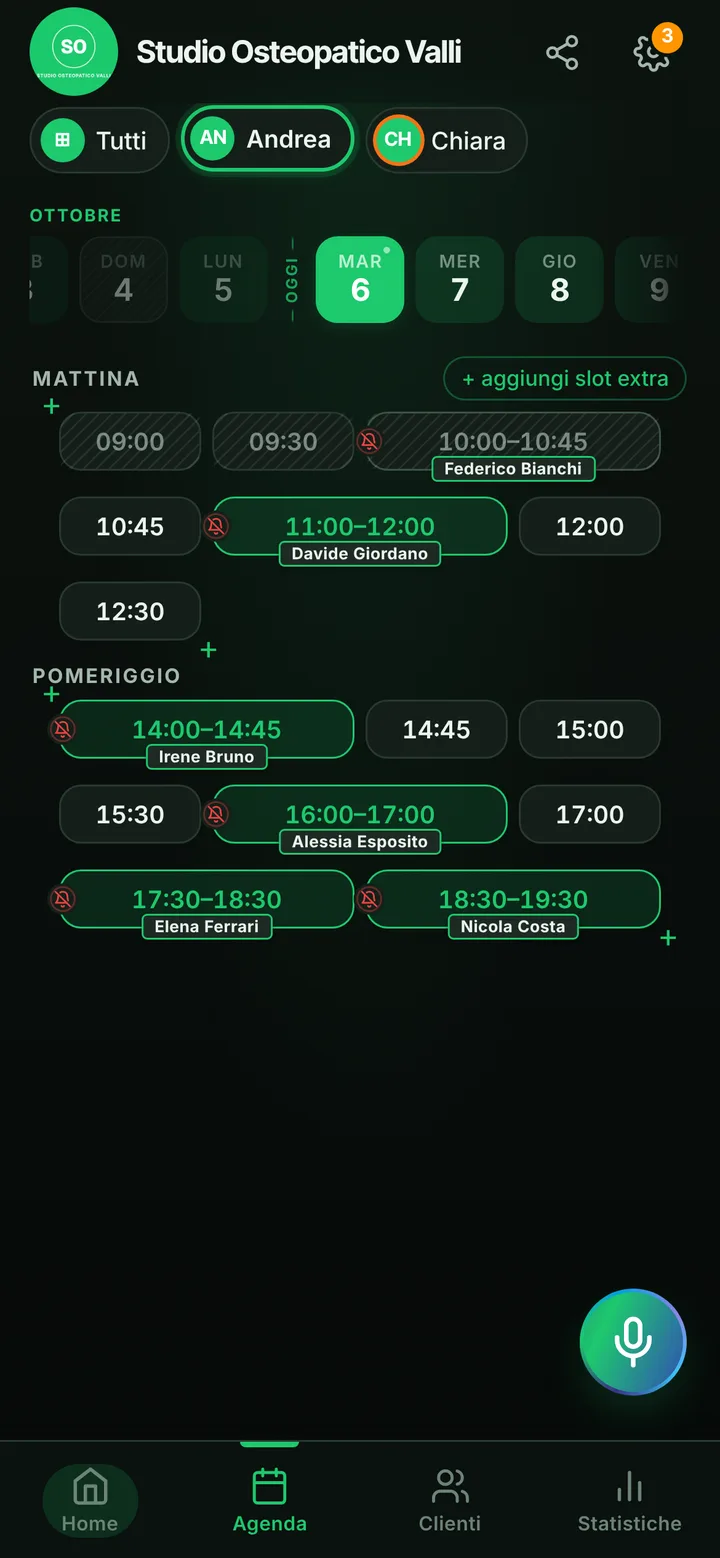
Tap the booking in your calendar and do everything from there.

  1. Cancel

    One tap and the slot is free for someone else.

  2. Move

    Put it in another free slot: the client sees the new time on their page.

  3. Alert

    Delays and early finishes as notifications to those who turned them on, reminders on WhatsApp from your number.

The day’s calendar at Studio Osteopatico Valli, with booked and free slots

In detail

An osteopathy practice patients can book from one link.

Osteopaths work with their hands full: while you are releasing a locked back you cannot pick up the phone, and a patient who gets no answer calls someone else. Here is how to organize first visits and treatments with a booking app, while leaving everything clinical out of it.

A long first visit, shorter treatments

When you set up the practice you already find two items: a sixty minute first visit and a forty-five minute osteopathic treatment. Rename them, change the length or add more, such as a pregnancy treatment or a session for athletes. Whoever opens your link picks an item and the calendar only offers gaps long enough to hold it: a first visit never gets squeezed between two back-to-back treatments. If you want to meet every new patient before treating them, say so in the notice at the top of your page («new patients start with a first visit») and add the treatments yourself.

The follow-up a few weeks later

Osteopathic care rarely means sessions close together: patients often come back after two or three weeks, sometimes after a month. That is exactly the gap in which people forget. Before they get off the table, open the schedule on your phone, agree on a day and put it in; the appointment shows up on their personal page next to the others. Online, each patient can hold at most two active bookings, so the dates further out are yours to add. If something comes up close to the day, they can ask you for a different time at least two hours ahead, and you decide whether to accept.

Notifications, WhatsApp and tables that do not sit empty

The day before and two hours before, patients who turned on notifications get an automatic reminder: a locked phone shows the day, the time and the practice name, nothing else. With one tap on «I’ll be there» the patient confirms they are coming. For people who do not use notifications, you write: tap the booking and WhatsApp opens with the message ready, sent from the practice number. When someone cancels, whoever joined the waitlist gets word that the spot is free. And when a patient skips without warning, mark it: their future requests go through you before landing in the schedule.

Several osteopaths, no clinical data

If two or three of you share the practice, each one has their own days, items and holidays; patients choose who to see or let the app pick the first one free. One account holds up to 12 people. SeeYouNext stays a scheduling tool, though: you do not write medical history, postural assessments or scan reports in it, it does not issue invoices and it sends nothing to the Italian health expense system. A name and a phone number are enough to book; contact notes are for practical details only, like «prefers early afternoon».
Pricing

A fixed price. Today it’s free.

Zero commissions on what you earn: you pay a fixed price for your team size, which doesn’t go up with each extra person and doesn’t depend on how many clients you see.

If you join now

Price after the beta: €12 per month

You only pay it once the beta ends, then it stays locked in forever, whatever the size of your team.

Free during the beta

The beta ends in 5 months and 29 days

After the beta, for whoever joins later

How many of you are there?

1 person
  • Solo1 person€12/month
  • Small team2–3 people€19/month
  • Team4–6 people€26/month
  • Large team7–12 people€34/month

1 person. Solo: €12 per month.

Start for free, Beta

We don’t ask for your card. Unlimited clients and bookings.

What you’re wondering.

Can I let only returning patients book a treatment?

Not with a switch: every active item can also be booked from the link. Write it in the notice at the top of your page («new patients start with a first visit») and add treatments from the schedule yourself.

Can a patient ask for a time outside my clinic days?

Yes, with «Request an extra appointment» on your page: the request comes to you and you decide. Nobody books outside your hours on their own.

Can I attach a patient’s scans or test images?

No: contacts hold a name, phone number, text notes and appointment history, with no files or photos. Scans stay in your own records.

If a treatment runs over, does the next patient know?

Yes, if you let them know: mark the delay with one tap, they get a notification and see the updated time on their page.

Do my clients have to download an app?

No: they open your link and book. Regulars can install your business’s app, with your logo, straight from your page, on Android and iPhone. If they turn on notifications, that’s where reminders and alerts arrive.

What does it mean that SeeYouNext is in beta?

The features on this page are already there and you use them from day one, but we’re still polishing the app together with the people who use it: if something isn’t right, write to feedback@seeyounext.it. Meanwhile it’s free, payments aren’t switched on. When the beta ends, if you start now you pay €12 per month, VAT included, locked in forever, whatever the number of people who work with you.

Hours, price list and your logo, from your phone, in a few minutes. Then send the link.