Skip to content

Booking app for phone repair shops –

Booking app for phone repair

Broken phones arrive when your bench is free.

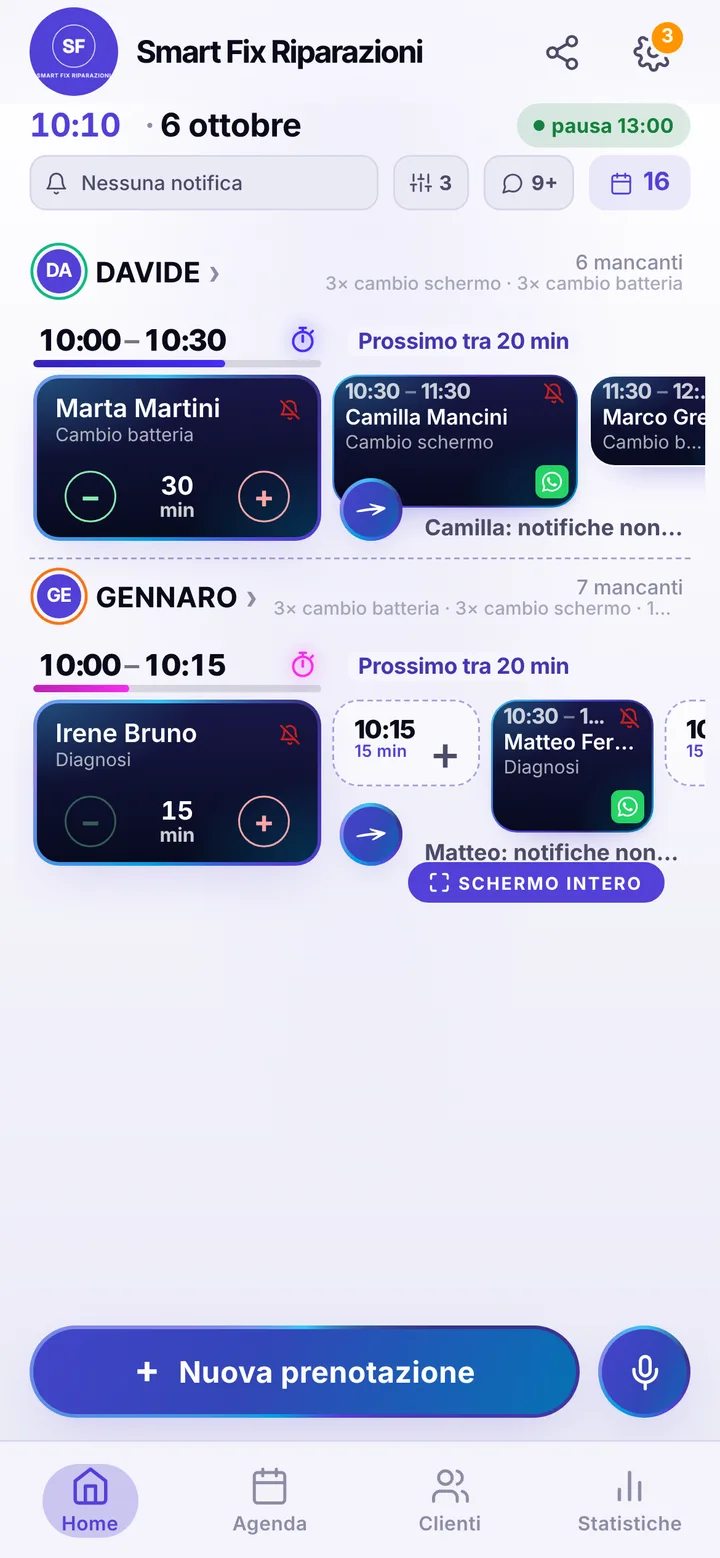
  • WhatsApp in one tap
  • Live queue
  • Start from your contacts
  • Zero commissions
  • Works with callers too
Start for free, Beta

Lock in your price now

Price after the beta: €12/monthFree during the beta

Then it stays this way forever, for your whole team. Whoever joins after the beta pays up to €34.

The beta ends in 5 months and 29 days

Your page
The client chooses
Your day

Sample business: Smart Fix Riparazioni

From anywhere

Your client books in three taps.

From their phone, at any hour, without downloading anything or creating an account.

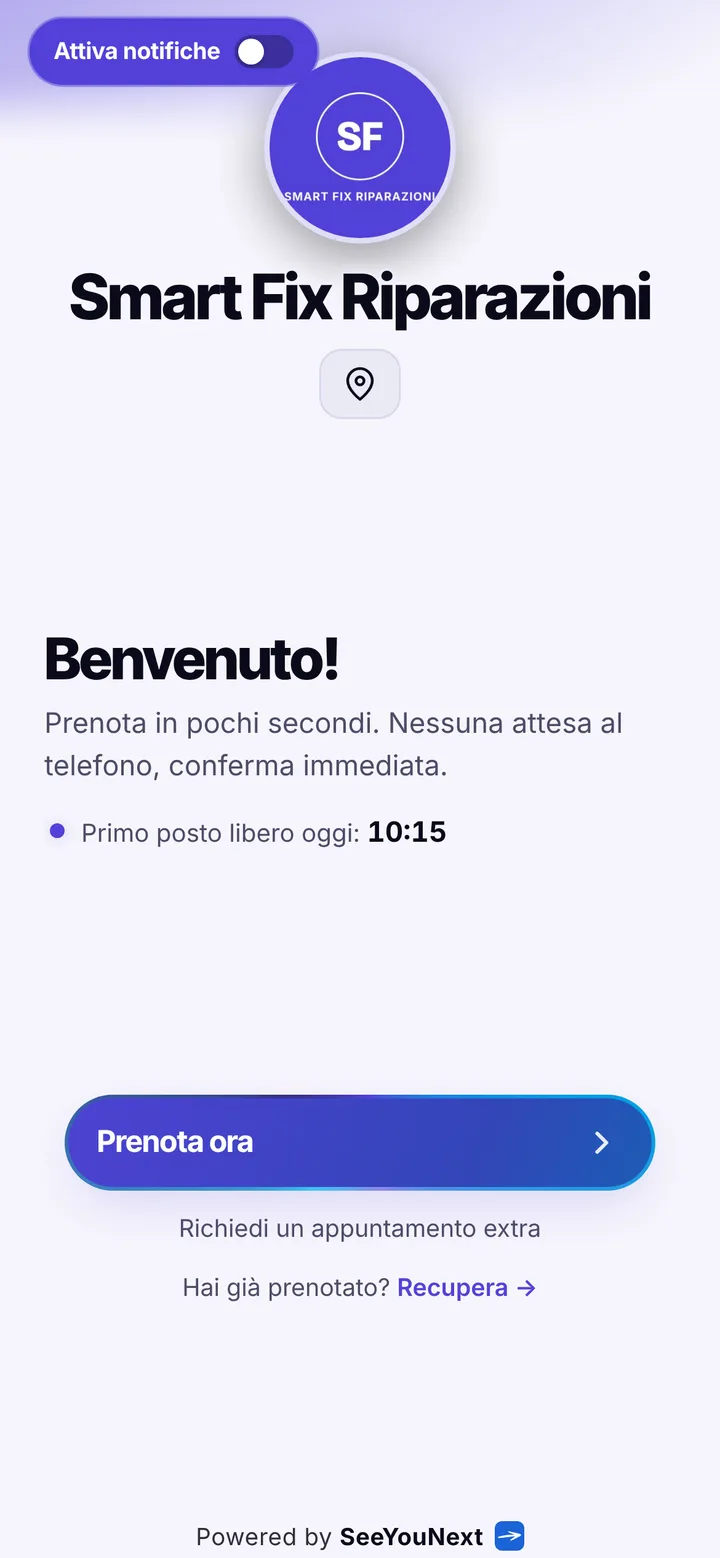
The booking page of Smart Fix Riparazioni, with logo, photos and the button to book
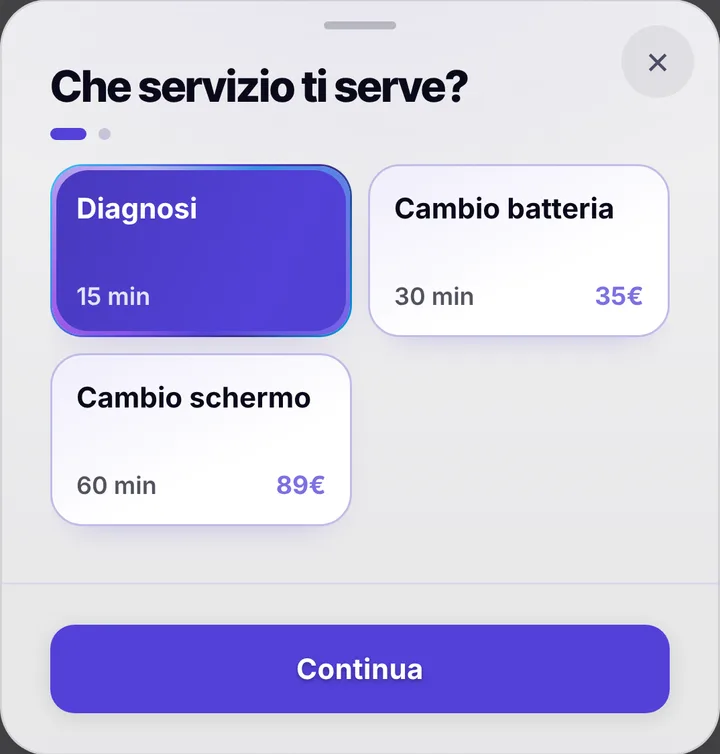
Choosing a service at Smart Fix Riparazioni, with duration and price
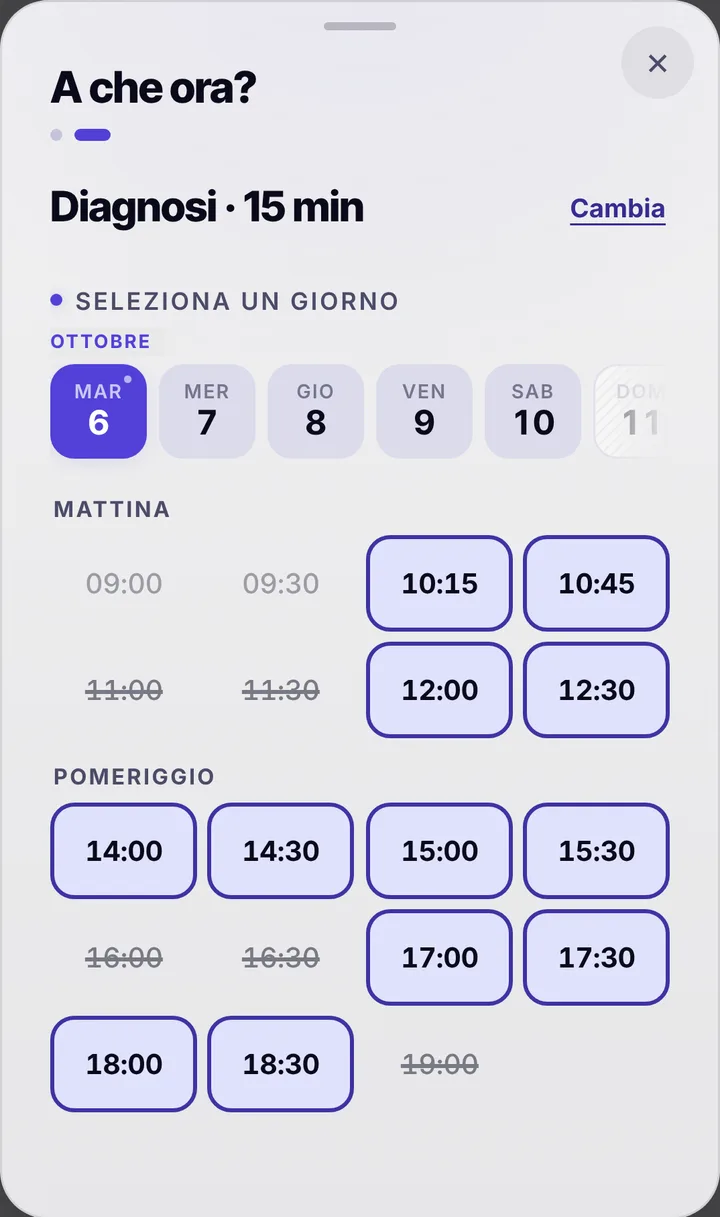
The free slots of the day at Smart Fix Riparazioni
  1. Opens your link

    From WhatsApp, Instagram or the QR code in your window.

  2. Picks a service

    With its duration and, if you like, the price.

  3. Picks a time

    Sees only the times where it really fits.

For your trade

Batteries, screens and diagnostics, by appointment.

For phone repair shops: jobs from fifteen minutes to an hour, customers in a hurry.

  • Diagnosis, battery, screen

    15, 30 and 60 minutes.

  • The model

    The customer writes it in the note.

  • From a computer too

    With a broken phone, people book from the link on another device.

  • The slot that frees up

    A notice for whoever is waiting with notifications on.

  • Who’s next

    The day on a full screen at the counter.

  • Book from Google

    The link on your profile: Maps can show «Book».

A day, for example

Monday. At 10 a fifteen-minute diagnosis, at 10:30 a half-hour battery change, at 11 an hour-long screen replacement. The screen customer wrote the model in the note: the part is ready when he arrives.

With one tap

Appointment running long? One tap to let them know.

You mark it on the booking and the client sees the new time on their page right away.

  • Running late

    If they turned on notifications, they also get an alert on their phone.

  • Finished early

    The same tap tells them they can come sooner. Their spot stays guaranteed.

  • WhatsApp

    Reminders and moves go out from your business’s number, with the message already written. No cost.

For you, running things

Cancel, move, alert. No phone calls.

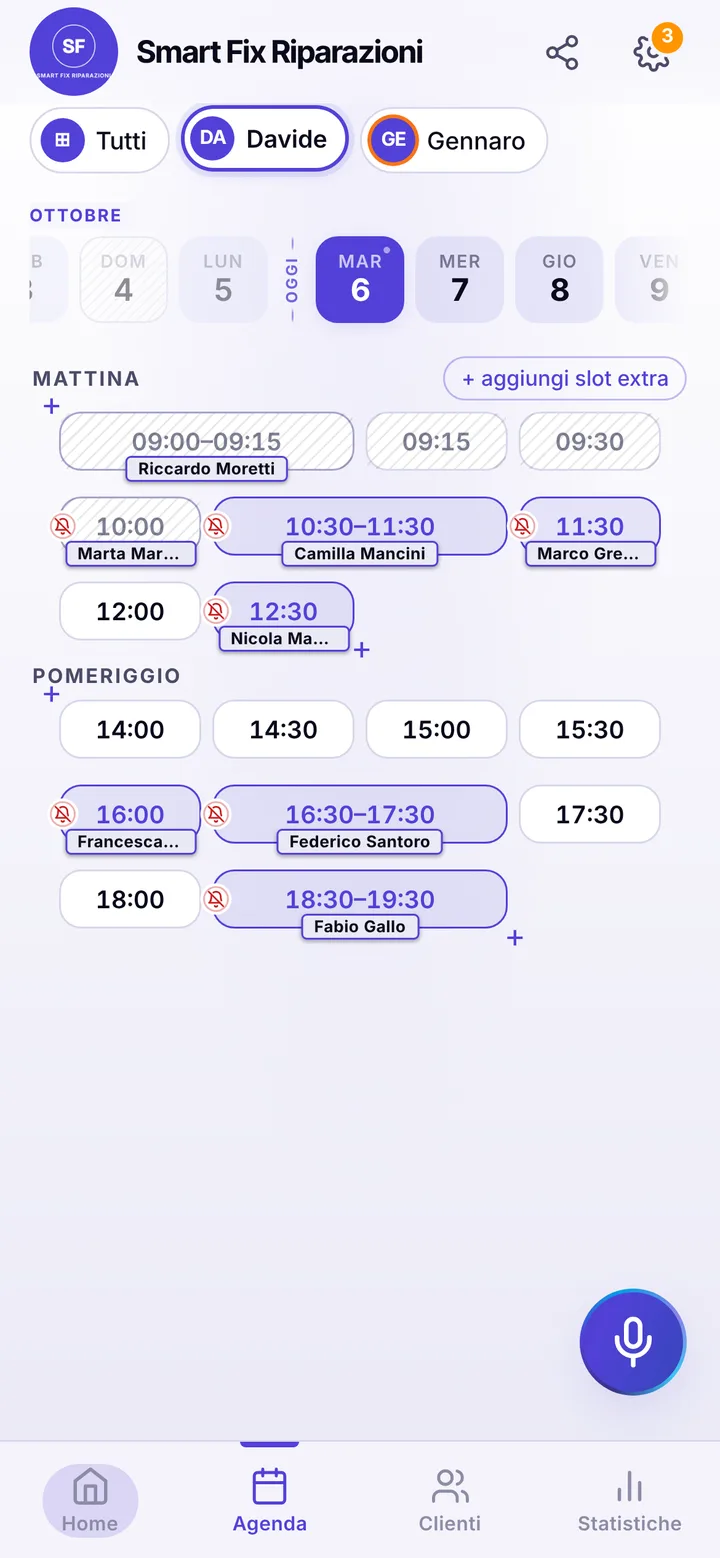
Tap the booking in your calendar and do everything from there.

  1. Cancel

    One tap and the slot is free for someone else.

  2. Move

    Put it in another free slot: the client sees the new time on their page.

  3. Alert

    Delays and early finishes as notifications to those who turned them on, reminders on WhatsApp from your number.

The day’s calendar at Smart Fix Riparazioni, with booked and free slots

In detail

A phone repair shop where the counter never jams up.

A phone with cracked glass cannot wait: whoever dropped it wants to know right away what it costs and when it will work again. So the shop fills up in waves, three people at the counter at once and then nothing. Here is how you spread arrivals across the day and give the screwdriver the time it needs.

Diagnostics, battery and screen

The starting list has three items: a fifteen minute diagnostic, a thirty minute battery swap, a one hour screen replacement. Add your own, charging port, rear camera, data recovery, each with its real length. Anyone booking from your link only sees times where that job fits, so a display swap never shows up five minutes before closing. Brand, model and what happened go in the note to the business: dropped in water, stopped charging. There is no dedicated model field yet.

Waiting at the counter or leaving the phone

A battery you can swap while the client has a coffee; a screen behind a glued back often means leaving the phone. Either way the appointment is the drop-off time at the counter, not the hours the phone spends on your antistatic mat. The app sends no repair-ready alert: when you finish you call the client, or book a short pickup slot in the diary and the reminder goes out. If you keep a tablet on the counter, the waiting screen shows people sitting there how the day is moving.

Parts on order and times that slide

When a part does not arrive from your supplier, the repair slips. Clients can ask to move their appointment from their page, at least two hours ahead, and you accept with one tap; if you are running early or late, mark it and they see the new time on their phone. Anyone who books and never shows up gets marked as a no-show, and their next requests wait for your yes. If you want a cancellation window online, set it anywhere from zero to forty-eight hours. The link takes bookings up to sixty days out, with at most two open appointments per person.

Technicians, branches and your Google profile

Each technician has a diary and only the repairs they can do: whoever does not solder boards never gets those bookings. Up to 12 people in one account, and you invite staff with a link, choosing what they can see. Connect the Book button to your Google Business Profile: people searching for a repair shop nearby book without calling. Reminders reach clients who turned on notifications, by default the day before and two hours before, and everyone else gets one from you with a tap on WhatsApp, from the shop number.
Pricing

A fixed price. Today it’s free.

Zero commissions on what you earn: you pay a fixed price for your team size, which doesn’t go up with each extra person and doesn’t depend on how many clients you see.

If you join now

Price after the beta: €12 per month

You only pay it once the beta ends, then it stays locked in forever, whatever the size of your team.

Free during the beta

The beta ends in 5 months and 29 days

After the beta, for whoever joins later

How many of you are there?

1 person
  • Solo1 person€12/month
  • Small team2–3 people€19/month
  • Team4–6 people€26/month
  • Large team7–12 people€34/month

1 person. Solo: €12 per month.

Start for free, Beta

We don’t ask for your card. Unlimited clients and bookings.

What you’re wondering.

Can clients tell me their phone model?

Yes, by writing it in the note to the business when they book. There is no dedicated brand and model field yet.

Can clients pay for the repair online in advance?

No: SeeYouNext does not take payments. Payment stays at the counter, as now; the app handles appointments.

Do clients get a message when the phone is ready?

Not automatically: there is no repair-ready alert yet. You call them, or book a pickup in the diary so they get the reminder.

Can I show screen replacement prices?

Yes, if you turn on the price switch: by default prices are hidden. Each item has its own price, and you can show a starting price when it depends on the model.

Do my clients have to download an app?

No: they open your link and book. Regulars can install your business’s app, with your logo, straight from your page, on Android and iPhone. If they turn on notifications, that’s where reminders and alerts arrive.

What does it mean that SeeYouNext is in beta?

The features on this page are already there and you use them from day one, but we’re still polishing the app together with the people who use it: if something isn’t right, write to feedback@seeyounext.it. Meanwhile it’s free, payments aren’t switched on. When the beta ends, if you start now you pay €12 per month, VAT included, locked in forever, whatever the number of people who work with you.

Hours, price list and your logo, from your phone, in a few minutes. Then send the link.